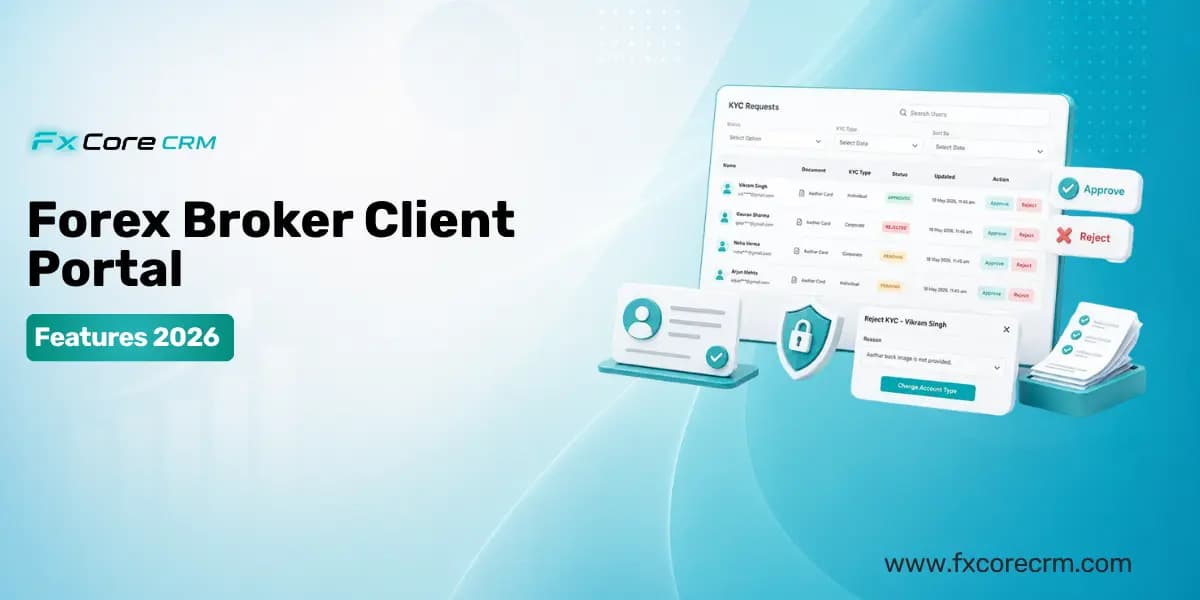
Client Portal Features Every Forex Broker Should Offer Clients in 2026
The forex client portal — also called the trader room — is the most important client-facing technology a forex broker operates. It is the interface your clients use every day to check their account balance, fund their account, request withdrawals, submit KYC documents and access their trading platform.
A professional, fully functional forex client portal converts registered clients into funded traders faster, retains active traders longer and reflects directly on the broker's brand credibility in a market where clients evaluate multiple brokers simultaneously before deciding where to deposit their money.
A poor client portal experience does the opposite. Slow loading times, missing features, broken mobile experience and confusing navigation send clients to competitor brokers before they ever make a first deposit.
In 2026 client expectations have risen significantly. Brokers who launched five years ago with basic portals are now competing against brokers whose white-label client portals provide real-time MT5 account data, instant deposit processing, Arabic and multi-language support and seamless mobile experience across all device types.
This guide covers every client portal feature a forex broker should offer in 2026 — why each one matters, what proper implementation looks like and what poor implementation costs the broker in conversion rates and client retention.
Feature 1 — Real-Time MT5 Account Dashboard
The first thing a client sees when they log into the forex client portal is their account dashboard. This is where the quality of the MT5 CRM integration underneath the portal becomes immediately visible.
What proper implementation looks like:
The dashboard shows the client's current MT5 account balance, equity, used margin, free margin, open positions with current P&L and recent trade history — all updating in real time directly from the MT5 trading server. When the client has an open EUR/USD position and the price moves, their equity and P&L figures update in the portal within seconds without the client needing to refresh the page.
Clients with multiple trading accounts — standard, Islamic, VIP, demo — see all accounts on the dashboard with clear account identification and the ability to switch between them without logging out and back in.
What poor implementation looks like:
The balance shown is from a batch sync that ran several hours ago. The client deposited $500 this morning and the portal still shows their pre-deposit balance at 4pm. Open positions are not visible in the portal at all. The client has to log into MetaTrader 5 separately to see their actual account status.
Why it matters:
Clients who cannot see accurate real-time account information in their portal contact support to ask questions that should not require support contact. High support volumes from basic account information queries indicate a client portal that is not doing its job. More significantly, clients who experience this disconnect between portal information and actual MT5 account status lose confidence in the broker's platform quality.
Feature 2 — Seamless Deposit Processing
Deposit processing is the most commercially critical function in the forex client portal. The speed and simplicity of the deposit experience directly determines what percentage of registered clients become funded traders — the conversion rate that matters most to brokerage revenue.
What proper implementation looks like:
The client clicks Deposit, selects their preferred payment method from the available options — which display based on the client's geographic location showing the methods most relevant to their market — enters the deposit amount and completes payment through the integrated gateway. The deposit confirms. The MT5 account balance updates automatically within 60 seconds.
The client did not need to contact support. No manual step was required from the broker's finance team. The client is trading within minutes of completing the deposit.
The payment methods that must be available:
For a globally competitive forex broker client portal in 2026, payment method coverage needs to include international card processing via Visa and Mastercard, SEPA bank transfers for European clients, cryptocurrency including USDT on TRC20 and ERC20 networks for clients in India and across the Middle East, regional e-wallets including Skrill and Neteller, local payment methods for specific geographic markets, and international wire transfer for larger deposits.
FxCore CRM's 100+ payment gateway integrations cover this full range — meaning brokers using FxCore CRM can offer their clients the complete set of payment methods without building custom gateway integrations for each one.
What poor implementation looks like:
The client portal offers two payment methods — international bank wire and one card processor. A client from India who wants to deposit USDT sees no cryptocurrency option. A Middle Eastern client who prefers a regional payment method does not find it available. They abandon the deposit attempt. The broker loses a funded client because of a payment method gap.
Why it matters:
Payment method coverage directly correlates with funded client conversion rate. Every payment method a client wants to use that the portal does not offer is a deposit that does not happen.
Feature 3 — Withdrawal Management
Withdrawal processing is where broker-client trust is most severely tested. A client who deposits easily and withdraws easily is a client who feels secure with their broker and is far more likely to continue depositing and trading. A client who experiences delays, confusion or friction in the withdrawal process is a client who is actively evaluating whether to move to a competitor.
What proper implementation looks like:
The client initiates a withdrawal request in the client portal, selects the withdrawal method — which should match the deposit method they used, as required by AML best practices — enters the amount and submits the request. The portal shows a clear status tracker — submitted, under review, approved, processing, completed — so the client always knows exactly where their withdrawal stands.
The finance team receives the withdrawal request in the forex CRM back office review queue, verifies the details through the approval workflow and processes the payment. The client receives automated status notifications at each stage without needing to contact support to ask what is happening.
What poor implementation looks like:
The client submits a withdrawal request through a form. The confirmation email says "we will process your request within 5-10 business days." The client has no visibility into whether the request was received, whether it is being processed or whether there is a problem. They email support three days later to ask. Support takes 24 hours to reply. The client posts a negative review online.
Why it matters:
Negative reviews about withdrawal processing are the most damaging reviews a forex broker receives — because they directly suggest the broker may be withholding client funds, which is the most fundamental trust concern in retail forex. A client portal with clear, transparent, status-tracked withdrawal processing eliminates this concern.
Feature 4 — KYC Document Submission and Status Tracking
KYC verification is a mandatory step between registration and trading for every regulated forex broker. The quality of the KYC experience in the client portal determines how many registered clients complete verification and become active traders — a conversion step that many brokers underestimate the importance of.
What proper implementation looks like:
The client registers and is immediately presented with a clear KYC dashboard showing exactly which documents are required, in what format, with example images of acceptable submissions. The client uploads their passport and proof of address through a simple upload interface that works on mobile — taking photos of their documents directly from their phone camera without needing to scan and email files.
The portal shows the KYC status in real time — submitted, under review, approved or rejected with specific reasons and instructions if rejected. When the KYC is approved, the client's trading account activates automatically and they receive a notification confirming they can now trade.
The FxCore CRM digital onboarding system handles this complete workflow — from document collection through AML screening, compliance review and automatic MT5 account activation — with the client experiencing a smooth, guided process rather than a confusing email chain.
What poor implementation looks like:
The client sends their passport as an email attachment. Three days pass with no response. The client sends a follow-up email. The compliance team responds asking for a clearer photo. Another two days pass. By day five the client has registered with three other brokers and funded the one that processed their KYC in 24 hours.
Why it matters:
KYC completion rate is a direct measure of how many registered clients become funded traders. A forex client portal with a smooth, guided, digitally managed KYC process achieves significantly higher completion rates than one that relies on email document collection.
Feature 5 — Trading Platform Access and Download
The client portal is the bridge between the client's relationship with the broker and their ability to trade. Giving clients clear, easy access to their trading platform — MT5, MT4, cTrader or Match-Trader — is a fundamental portal requirement.
What proper implementation looks like:
The client portal includes a clearly labeled Trading Platforms section showing every platform the broker offers. For each platform, the portal provides download links for Windows, Mac, iOS and Android applications, the server name and connection details pre-filled or clearly displayed, a WebTrader link for browser-based trading without download, account login credentials accessible securely within the portal, and getting started guides appropriate for new traders.
Clients should never need to contact support to find out how to connect to their trading platform. Every piece of information they need is in the portal.
What poor implementation looks like:
The broker emails MT5 server connection details to clients when they first register. The client loses the email six months later and cannot remember the server name. They contact support. Support takes 12 hours to reply with the information that should have been in their client portal all along.
Feature 6 — Multi-Account Management
Many forex broker clients hold multiple trading accounts — a standard live account, a demo account for testing strategies, an Islamic swap-free account, a VIP account with different trading conditions, or multiple accounts in different base currencies.
What proper implementation looks like:
The client portal shows all of the client's accounts on a single dashboard with clear account type identification, individual account balance, equity and recent activity for each account, independent deposit and withdrawal management per account, and the ability to switch between accounts seamlessly without separate logins.
Account opening for additional account types — demo, Islamic, additional standard — happens within the portal without the client needing to contact the broker's team or submit another full application.
What poor implementation looks like:
The client has a standard account and wants to open an Islamic account. The portal has no account opening functionality. The client emails support requesting a new Islamic account. Three days and four email exchanges later, the account is created manually by the operations team. The client needed to contact support for something that should have been self-service.
Feature 7 — Full White-Label Branding
White-label branding in the client portal means the client has zero awareness of the underlying CRM technology. They see the broker's brand — the broker's logo, the broker's colors, the broker's domain in the browser address bar, emails from the broker's email domain.
FxCore CRM's white-label client portal provides exactly this — complete brand customization with the broker's domain, colors, logo and email domain throughout, with zero FxCore CRM branding visible to clients.
Why it matters:
Brand consistency builds trust. Clients who experience a seamless, consistently branded portal experience have a higher perception of broker professionalism than clients who can see the underlying technology infrastructure. In a market where trust is everything, white-label branding quality matters.
Feature 8 — Mobile-Optimized Experience
In 2026 the majority of forex clients access their broker client portal on mobile devices. In markets like India, the Middle East and Southeast Asia, mobile is not just the majority access method — it is often the only access method for a significant portion of the client base.
What proper implementation looks like:
Every function in the forex client portal works completely on mobile browsers without requiring a separate app download. Deposit initiation, payment gateway completion, withdrawal requests, KYC document upload using the phone camera, account dashboard viewing and support ticket submission all work fully on mobile browsers on both iOS and Android.
The layout adapts to mobile screen sizes rather than simply scaling down the desktop layout. Touch targets are large enough to use comfortably without zooming. Forms auto-fill where possible to reduce typing on mobile keyboards.
What poor implementation looks like:
The deposit button is cut off on mobile screens. The KYC upload function does not trigger the phone camera. The account dashboard requires horizontal scrolling to see all information. The client switches to their laptop to complete tasks that should be possible on their phone.
Why it matters:
A client portal that does not work properly on mobile is invisible to the significant portion of the broker's target client base who access financial services exclusively on mobile. For brokers targeting emerging markets — India, Middle East, Southeast Asia — mobile optimization is not a nice-to-have feature. It is a fundamental requirement for market access.
Feature 9 — Arabic and Multi-Language Support
For brokers serving Middle Eastern clients, Arabic language support in the client portal is not optional. It is a basic requirement for effective market penetration in one of the most commercially valuable forex trading regions in the world.
What proper implementation looks like:
The client portal is fully available in Arabic with right-to-left text layout throughout — not just a partial translation of key labels, but complete Arabic translation of all interface elements, error messages, status notifications, automated emails and KYC guidance. The layout mirrors for right-to-left reading direction rather than simply displaying Arabic text in a left-to-right interface.
For brokers serving multiple linguistic markets, the portal supports language selection with each client seeing their preferred language automatically based on their browser or registration settings.
Why it matters:
A forex client portal available only in English creates a significant adoption barrier for Arabic-speaking clients in UAE, Saudi Arabia, Kuwait, Bahrain, Qatar, Jordan and Egypt — collectively one of the most commercially valuable retail forex trading regions globally. Brokers who invest in genuine Arabic localization have a measurable advantage in client acquisition and retention across these markets.
Feature 10 — Support and Communication Integration
Clients encounter questions and issues that require broker support regardless of how good the client portal is. How clients can reach support — and how quickly and effectively they receive help — directly impacts satisfaction and retention.
What proper implementation looks like:
The forex client portal provides multiple support access points — a support ticket system for non-urgent queries with clear response time expectations, a live chat feature for immediate assistance during support hours, direct WhatsApp contact links for markets where WhatsApp is the primary business communication channel, a comprehensive FAQ section covering the most common client questions and phone contact details for urgent matters.
Support ticket history is visible within the portal so clients can track the status of open issues and reference previous interactions without needing to re-explain their situation from scratch each time.
What poor implementation looks like:
The client portal has a single contact form that submits to a general email inbox. The client submits a query about their withdrawal status. They receive an automated reply saying "we will respond within 5 business days." Five days later they still have not heard back. They find the broker's phone number on their website and call. The phone is not answered. They file a chargeback with their card provider.
Feature 11 — Notifications and Alerts
Automated notifications reduce support volume, improve client experience and keep clients engaged with their broker relationship without requiring manual communication effort from the broker's team.
What proper implementation looks like:
Clients receive automated notifications for every significant account event — KYC document submission confirmation, KYC approval or rejection with specific reasons, deposit receipt confirmation, MT5 balance credit confirmation, withdrawal request received, withdrawal status updates at each stage, margin level approaching warning thresholds, and account inactivity reminders after defined periods.
Notifications deliver through the client's preferred channel — email for formal confirmations, WhatsApp for instant status updates in markets where WhatsApp is the primary messaging platform, and push notifications through the portal if the broker has a mobile app.
Why it matters:
Clients who receive timely, accurate automated notifications about their account events have fewer reasons to contact support asking for status updates. Reducing unnecessary support contact volume allows the support team to focus on genuine client issues that actually require human assistance.
Feature 12 — Transaction History and Reporting
Complete transaction history within the client portal gives clients the financial record-keeping visibility they need to manage their trading activity and finances effectively — reducing support queries and increasing client confidence in the broker's transparency.
What proper implementation looks like:
The transaction history section shows every deposit and withdrawal with date, amount, payment method, processing status and reference number. Trade history shows every MT5 trade with opening and closing details, instrument, volume, profit or loss and commission. The client can filter both transaction and trade history by date range and export records in standard formats for their own record-keeping.
What poor implementation looks like:
The client needs their deposit history for tax purposes. The client portal shows the five most recent transactions with no export option and no date filtering. The client contacts support requesting a complete transaction history. Support generates a manual report and emails it several days later. This is a function that the portal should provide self-service in seconds.
How FxCore CRM Delivers Every Client Portal Feature
FxCore CRM's white-label client portal provides every feature covered in this guide as standard components of the platform — not as optional add-ons requiring separate licensing or custom development.
Real-time MT5 account data pulls directly from the native MT5 integration — balances, equity and open positions updating within seconds without batch delay.
Deposit processing connects to 100+ payment gateways covering international, regional and cryptocurrency payment methods — with automatic MT5 balance credit on gateway confirmation.
KYC document submission connects to the digital onboarding compliance workflow — guided submission, automatic AML screening and automatic MT5 account activation on approval.
IB management provides sub-portal access for IBs and affiliates showing real-time commission accumulation — a partner-facing experience that scales the IB relationship alongside the client portal.
White-label branding applies the broker's logo, colors, domain and email domain throughout with zero FxCore CRM visibility to clients.
Copy trading and PAMM modules are accessible through the portal for brokers offering social and managed trading products.
Platform statistics:
- 250+ active forex broker clients globally
- 370+ total integrations
- 340+ successfully delivered projects
- Dubai, UAE headquarters
- 24/7 technical support
Request a free demonstration of the FxCore CRM client portal at https://fxcorecrm.com/request-demo
Contact: [email protected] | WhatsApp: +971 5557 14507
Frequently Asked Questions
Q: What features should a forex broker client portal have in 2026?
A forex broker client portal in 2026 should include real-time MT5 account balance and equity display, seamless deposit processing with multiple payment methods including cryptocurrency, transparent withdrawal management with status tracking.
Q: What is a white-label forex client portal?
A white-label forex client portal is a branded trader room deployed on the broker's own domain — with the broker's logo, colors and email domain throughout — with no visible reference to the underlying CRM technology provider. Clients experience the portal as the broker's own proprietary platform. FxCore CRM provides a fully white-labeled client portal with complete brand customization as a standard platform component.
Q: Why is mobile optimization important for a forex client portal?
In 2026 the majority of forex clients access their broker client portal on mobile devices — in markets like India, the Middle East and Southeast Asia, mobile is often the primary or only access method.
Q: How does MT5 integration affect the client portal experience?
MT5 integration quality directly determines the accuracy and timeliness of account information displayed in the client portal. A portal backed by real-time MT5 integration shows clients their actual current balance, equity and open positions updating within seconds.
Q: Does FxCore CRM include a client portal?
Yes. FxCore CRM includes a fully white-labeled client portal as a standard component — not an optional add-on. The portal provides real-time MT5 account data, deposit and withdrawal management connected to 100+ payment gateways.
Q: What payment methods should a forex broker client portal offer?
A globally competitive forex broker client portal should offer international card processing, SEPA bank transfers for European clients, USDT and cryptocurrency options for clients in India and the Middle East, regional e-wallets including Skrill and Neteller, local payment method.
Q: How important is Arabic language support in a forex client portal?
Arabic language support is a fundamental requirement for forex brokers targeting Middle Eastern clients. Saudi Arabia, UAE, Kuwait, Bahrain, Qatar, Jordan and Egypt collectively represent one of the most commercially valuable retail forex trading regions globally.
FxCore CRM is a forex technology provider headquartered in Dubai, UAE. The platform does not provide financial services or investment advice.