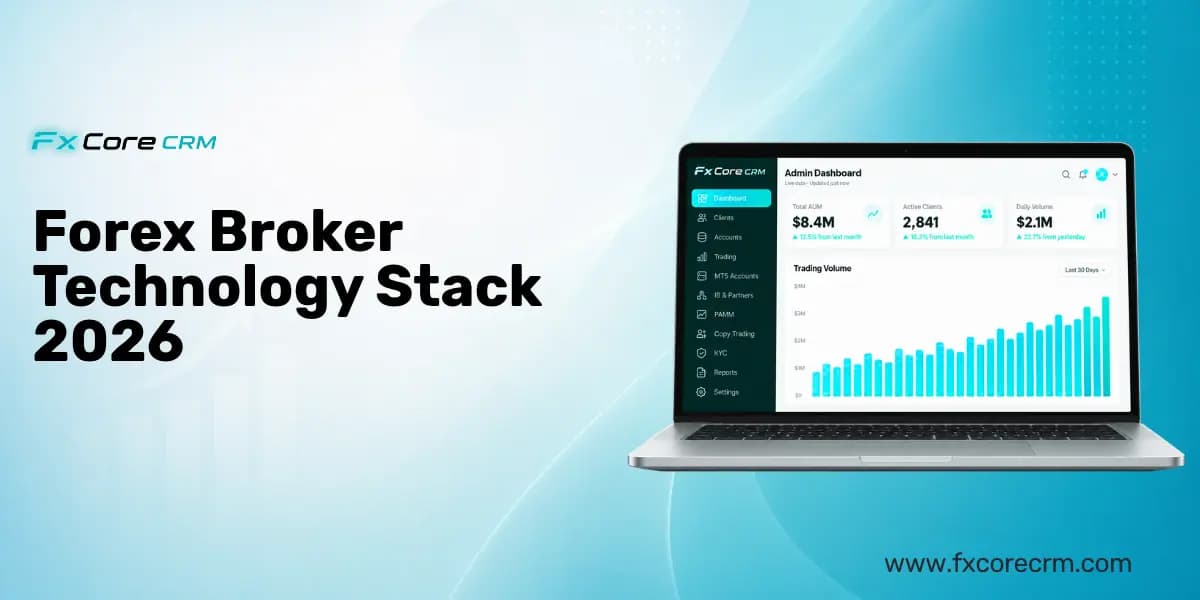
Forex Broker Technology Stack: What a New Brokerage Needs on Day One
Starting a brokerage means buying a lot of technology at once, usually with a launch date already announced. Vendors all promise to be “complete.” Pricing is unclear. And it is hard to know what you genuinely need on day one and what can wait.
This guide breaks the forex broker technology stack into layers, explains what each one does, and separates the must-haves from the nice-to-haves. It is written for founders and operations leads who are launching for the first time.
This is a technology guide, not legal advice. Your licence conditions decide some of what is required, so confirm those with your lawyer and compliance adviser.
The Big Picture
A brokerage stack has a simple shape. At the centre is a trading platform. Around it sit the systems that supply prices, onboard clients, move money, pay partners, manage risk and keep records.
Think of it as eight layers:
- Trading platform
- Liquidity and execution
- CRM and back office
- Payments
- KYC and compliance
- Partner (IB) management
- Risk and monitoring
- Infrastructure and security
The first four are essential on day one. The rest are essential if your model needs them, which most do.
Get Free Demo
Layer 1: The Trading Platform
This is where clients trade. Most new brokers choose MetaTrader 5 or MetaTrader 4, and some add cTrader or Match-Trader.
You can usually get a platform in one of two ways: a direct licence, or a turnkey or white-label setup from a technology provider. Direct licensing gives more control and more responsibility. A turnkey setup is faster and lighter on technical work. The right answer depends on your budget, your team and your regulator.
Decide on day one: which platform or platforms, how you will obtain it, and what server arrangement you need. If you plan separate servers for standard and Islamic accounts, say so now, because it affects every layer that connects to it.
Layer 2: Liquidity and Execution
Clients’ orders need prices and, depending on your model, a place to be executed. That usually means one or more liquidity providers, a bridge between the platform and those providers, and a decision about how you handle order flow.
Your risk model drives this layer. Some brokers pass orders through to liquidity providers, some keep some flow internally, and many use a mix. Whatever you choose, it should be a deliberate decision with proper risk controls and your compliance team’s agreement, not a default.
Decide on day one: your execution model, your liquidity partner or partners, and who monitors exposure.
Layer 3: CRM and Back Office
This is the layer that runs the daily business, and the one brokers most often underestimate.
A forex CRM is more than a contact list. It should handle client records and leads, connect to your trading server, create accounts after approval, credit deposits, process withdrawals, calculate partner commissions and produce reports. Without it, those jobs fall to people with spreadsheets and the trading server’s admin panel, which does not scale and is where errors creep in.
What to look for:
- A live, two-way MT5 integration so accounts, balances and access can be controlled from the CRM
- A client portal on your own domain, in the languages your clients use, that works on a phone
- A review queue for compliance, with a full audit trail
- Role-based access, so each team member sees only what they need
- Reporting that combines trading, payments and partner data
Decide on day one: which CRM, and whether it can handle the platforms, account types and markets you plan to add in the next two years.
Layer 4: Payments
Clients cannot trade until they fund their accounts, so payments are a day-one item.
Start with the methods your target clients actually use. Depending on your markets, that may include cards, bank transfer, local methods and cryptocurrency. Each method has its own rules, fees, settlement times and licensing questions. Some may not be available to your business type or in your jurisdiction, so check with each provider and take legal advice where needed.
The part that matters most is what happens after a payment is confirmed. The best setups credit the trading account automatically and record the transaction against the client. Withdrawals should go through an approval workflow with controls. A good CRM connects to your payment gateways directly, so this does not depend on someone typing figures in.
Decide on day one: your payment methods, your processors, and your rules for under- and over-payments, refunds and withdrawals.
Layer 5: KYC and Compliance
Your licence will require you to know your clients. The technology side of that is digital onboarding: a way for clients to upload documents, screening against the lists your regulator requires, a queue for reviewers and a record of every decision.
Many brokers connect a specialist identity verification provider to their CRM. That can work well, but it makes the audit trail more important, because you need one record that shows what was checked, who approved it and when.
Also plan for the long term. Documents expire and client circumstances change, so ongoing monitoring and renewal reminders matter from the start, not only at registration.
Decide on day one: your accepted documents, your screening provider, your review process and who signs off.
Layer 6: Partner and IB Management
If you plan to grow through introducing brokers, you need a system that tracks who referred whom, calculates commissions from trade data, shows partners their earnings and processes payouts.
Do this properly from the start. Commission errors damage partner trust fast, and untangling them later is painful. Look for IB management that supports the number of tiers you expect, handles several commission types and lets you trace any figure back to the trades behind it.
If you will not use partners at launch, you can delay this layer, but choose a CRM that can add it later without a migration.
Decide on day one: whether you use IBs, your commission structure and how often you pay.
Layer 7: Risk and Monitoring
Someone needs to watch exposure, unusual trading, margin levels and system health. At a small brokerage this might be one person with a few dashboards. At a larger one it is a team with dedicated tools.
At a minimum, you need:
- Alerts when the connection between systems drops
- Visibility of client exposure and large positions
- Rules for flagging unusual deposits, withdrawals or trading patterns
- A defined process for who acts when an alert fires
Decide on day one: who is responsible for risk, what they can see and what triggers action.
Layer 8: Infrastructure and Security
This is the foundation under everything else.
- Hosting: where your servers sit, how close they are to your liquidity and your clients, and how they are backed up
- Access control: two-factor authentication, role-based permissions and limited manager accounts on the trading server
- Data protection: encrypted storage for identity documents and financial records
- Logging: who did what and when
- Recovery: what you do if a system fails, and how fast you can restore it
Clients entrust you with identity documents and money. A data incident in your first year can end a young brokerage.
Decide on day one: your hosting arrangement, your access policy and your recovery plan.
Get Free Demo
What Can Wait Until After Launch
Not everything needs to be live on the first day. These can usually follow once the basics are stable:
- Copy trading and PAMM modules
- Trading contests and challenge programs
- Advanced analytics and AI tools
- Additional trading platforms
- Extra languages beyond your main markets
- Mobile apps beyond a good mobile-ready portal
Keep them on a roadmap, and choose a CRM that offers them later without a rebuild.
A Sensible Build Order
If you are setting things up from scratch, this order tends to work well.
- Confirm your licence and model. Everything else depends on it.
- Choose the trading platform and server arrangement.
- Choose the CRM and back office, and confirm it connects to your platform.
- Set up liquidity and execution.
- Connect payments and test a deposit and a withdrawal.
- Configure KYC and run test cases through it.
- Add IB management if you will use partners.
- Set up monitoring and security.
- Test everything together with realistic scenarios before any real client signs up.
- Launch gradually, starting with a small group.
Plan several weeks for the connection and testing steps. Rushing them is the most common reason for a messy launch.
Common Mistakes
- Choosing the trading platform first and discovering later that the CRM does not connect well
- Buying separate tools that don’t talk to each other, then paying people to bridge the gaps
- Treating KYC as a form instead of a workflow
- Forgetting Islamic accounts, local languages or local payment methods until clients ask
- Launching without testing deposits, withdrawals and commissions end to end
- Skipping monitoring until the first incident
- Choosing a vendor with no plan for how you would leave
Questions to Ask Every Vendor
- Can you show a live test account being created and a deposit being credited?
- What does the audit trail record?
- What happens if the connection to the trading server drops?
- What is the full cost at my year one and year three volumes?
- How long does setup take, and what do you need from me first?
- What support hours do you cover, and how fast do you respond to urgent issues?
- How would I export my data if I left?
Where FxCore CRM Fits
FxCore CRM covers the CRM and back office layer for MT4 and MT5 brokers, with Dubai-based support. It includes client management, a white-label portal, digital onboarding with AML screening, multi-tier IB management, over 100 payment gateways, and copy trading, PAMM and contest modules you can switch on later.
Standard setup usually takes four to six weeks, depending on how prepared you are. Ask for a demo using your own account types and payment methods.
Request a demo: https://fxcorecrm.com/request-demo
Email: [email protected] | WhatsApp: +971 5557 14507
Frequently Asked Questions
Q: What does a new forex broker need on day one?
A trading platform, liquidity and execution, a CRM and back office, payments, KYC, risk monitoring and secure infrastructure. IB tools are needed if you use partners.
Q: Which layer do brokers underestimate most?
The CRM and back office. It runs daily operations, and weak tools create manual work and errors.
Q: Can I add copy trading or PAMM later?
Yes, if your CRM supports them. Choose one that can add them without a migration.
Q: How long does it take to set up a stack?
Several weeks, depending on preparation and testing. Rushing the testing stage causes most launch problems.
Q: What should I test before launch?
Account creation, deposits, withdrawals, KYC cases and IB commissions, using realistic scenarios.
FxCore CRM is a forex technology provider headquartered in Dubai, UAE. The platform does not provide financial services, legal or investment advice. Brokers should take qualified legal and compliance advice on licensing and regulatory requirements.