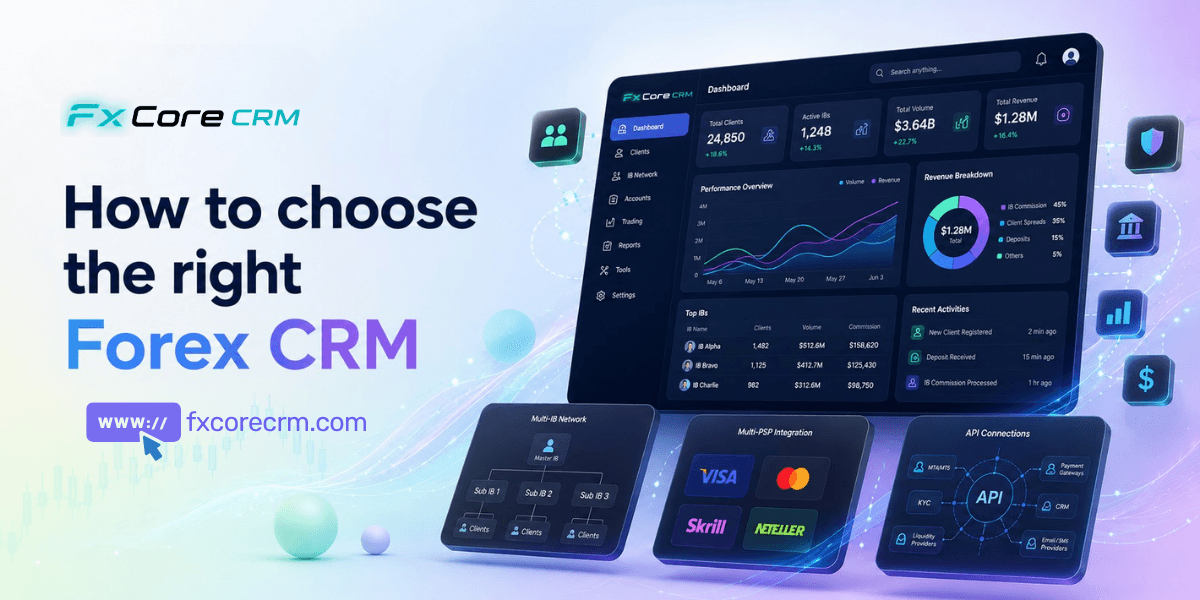
Forex CRM features matter most when a brokerage stops behaving like a sales desk and starts operating like a multi-team financial business. At that point, lead capture, KYC, MT4/MT5 account opening, deposits, withdrawals, IB tracking, and reconciliation all begin to collide. If those workflows sit in separate tools or spreadsheets, delays and disputes follow.
How These Features Improve Daily Broker Operations
The value of forex CRM features isn't just having them — it's how they change day-to-day operations. Automated KYC cuts account activation from days to minutes. Real-time MT4/MT5 sync eliminates manual balance reconciliation. Automated IB commission calculation removes the spreadsheet errors that erode partner trust. Together, these features shift a brokerage's operations team from constant manual firefighting to oversight and exceptions handling.
Table of Contents
- Why forex CRM features matter more than a module checklist
- Core forex CRM features that control the client lifecycle
- Forex CRM features for IB management and PSP routing
- How to compare forex CRM features during vendor evaluation
- FAQ
- Conclusion
For a scaling broker, the real question is not which system has the longest module list. It is whether the platform can act as an operating control layer across sales, compliance, finance, and partner management. That means connected approvals, clean audit trails, role-based permissions, and automation that still explains what happened when something fails.
This article breaks down the forex CRM features that actually reduce manual handoffs in broker operations. The focus is practical: lifecycle control, IB commission logic, PSP routing, MT4/MT5 workflow depth, and how to test all of it during vendor evaluation. That is where a good buying decision is made.
Why forex CRM features matter more than a module checklist
A generic checklist tells you whether a system includes leads, KYC, payments, or reports. It does not tell you whether those parts work together under operational pressure. For brokers, that gap matters.
A well-built broker CRM should connect the full operating chain: lead attribution, compliance review, account provisioning, wallet control, withdrawals, partner settlements, and reporting. If one step breaks, the issue should be visible to the right team with the right permissions and audit trail.
That is why evaluating forex CRM features by module count usually leads to disappointment. A broker does not need more screens. It needs fewer manual interventions. The next step is understanding why broker workflows differ so sharply from standard CRM logic.
Get Free Demo
What makes forex CRM features different from a generic CRM
A generic CRM manages prospects, pipelines, and follow-up tasks. A broker CRM must manage trading account states, wallet balances, KYC status, payment routing, and IB attribution. Those are not sales functions. They are operating controls.
For example, a lead can only become a funded trading client if several states align:
- Lead source and referral attribution are captured correctly
- Identity and address documents pass review
- The client is assigned to the right entity and jurisdiction
- The platform account is created in the correct MT4 or MT5 group
- Deposit methods shown match country, currency, and risk rules
If any one of these steps is handled outside the CRM, teams start reconciling status by email or spreadsheet. That creates support tickets and audit risk.
You can see similar operational themes in reporting on broker infrastructure and payments from Finance Magnates and FinanceFeeds. The recurring issue is not access to tools. It is process fragmentation. That leads directly to how brokers should evaluate forex CRM features against their own operating model.
How to map forex CRM features to your broker operating model
Start with your structure, not the vendor demo. The same forex CRM features can perform very differently depending on your brands, entities, and ownership model.
Map five areas before shortlisting:
- Entities and jurisdictions — Define which onboarding rules, disclosures, and approval paths apply by regulated entity.
- IB structure — Document master IBs, sub-IBs, revenue share plans, CPA deals, hybrids, and settlement cycles.
- PSP mix — List providers by country, currency, payment method, fees, and current approval performance.
- Platform setup — Note MT4/MT5 servers, account groups, margin settings, and account creation triggers.
- Team ownership — Clarify who owns sales, KYC, finance approvals, partner settlements, and exception handling.
A broker with two regulated entities and 200+ active IBs will not evaluate forex CRM features the same way as a single-brand startup. Once the operating model is clear, the most important test is client lifecycle control.
Core forex CRM features that control the client lifecycle
The best forex CRM features keep client status synchronized from first touch to funded account. That means sales, compliance, finance, and support all work from the same state model.
Without that control, brokers end up with a common failure pattern: the client is marked approved in one system, pending in another, and blocked from deposit or withdrawal in a third. Operations then spend time fixing status mismatches instead of processing volume.
For more on lifecycle design, see learn about forex CRM features and KYC automation for brokers. The first operational layer is onboarding and KYC.
Forex broker CRM workflows for lead, onboarding, and KYC control
Lead capture should record channel, campaign, country, IB code, and landing page source at the moment of registration. Attribution should then lock unless an approved user changes it with a visible audit record. That one control prevents many partner disputes later.
From there, client status should move through clear states such as:
- New lead
- Contacted
- Registered
- KYC pending
- KYC under review
- Approved
- Deposit enabled
- Trading enabled
- Restricted or archived
KYC workflows need more than upload fields. They need:
- Reviewer queues
- Reason codes for rejection
- Resubmission states
- Document expiry alerts
- PEP or sanctions review flags
- Maker-checker approval paths
A mid-tier broker processing roughly 500 new accounts per month cut average KYC approval time from three days to under ten minutes for low-risk cases by adding OCR, document classification, and queue-based risk scoring. Compliance still reviewed exceptions manually, but routine cases no longer sat in inboxes.
For regulated entities, record-keeping and AML controls should support local expectations from bodies such as the FCA, CySEC, and ASIC. Once onboarding is controlled, the next test is whether the CRM can keep platform and back-office states aligned.
MT4 MT5 broker CRM and broker back office system requirements
A strong MT4 MT5 broker CRM should do more than "connect" to the platform. It should trigger and monitor operational events.
Key requirements include:
- Account creation triggers after KYC approval or first deposit
- Group mapping by entity, client type, region, or sales desk
- Platform status sync for active, disabled, read-only, or archived accounts
- Wallet and withdrawal controls linked to approval states
- Role permissions by team and jurisdiction
- Audit logs for every sensitive action
- Support visibility into deposits, login state, and recent approvals
A common failure point is MT4 Manager API or MT5 sync lag. If account creation fails, the CRM should log the payload, error code, retry attempt, and final state. Support needs that context immediately. Otherwise, the client only sees "account not available," while three teams investigate manually.
A broker back office system should also separate duties. Sales can view lead and contact history. Compliance can approve KYC. Finance can approve withdrawals. No single user should control the full flow. That leads naturally into the two areas where scaling brokers usually feel the most pain: IB commissions and payments.
Forex CRM features for IB management and PSP routing
When a brokerage expands its IB network and payment options, manual work rises sharply in two places: commission calculation and payment routing. These are often listed as standard modules, but their depth varies widely.
This is where forex CRM features should reduce spreadsheet dependence. If they only display data but do not apply rules, the workload stays the same. First, consider the IB side.
IB management CRM features that prevent commission disputes
An IB management CRM should prevent disputes before they start. The core requirement is not hierarchy display. It is attribution integrity plus rule-based calculation.
Look for support for:
- Multi-tier and sub-IB trees
- Locked client-to-IB attribution
- CPA, revenue share, and hybrid plans
- Different rates by instrument, group, or region
- Clawbacks for failed qualification events
- Manual adjustments with approval records
- Settlement timing rules
- Historical traceability by period
A brokerage with more than 200 active IBs moved from spreadsheet rebates to automated tier logic. It eliminated most commission disputes within one quarter because finance and partner managers were reading from the same ledger, using the same historical snapshots. The biggest gain was not speed. It was fewer arguments over "which number is correct."
Good forex CRM features should also show liability before settlement. That helps finance estimate payable balances and investigate outliers before month-end. If commissions are controlled, the next issue is whether deposits and withdrawals are routed intelligently.
Forex back office features for PSP routing, declines, and reconciliation
Listing PSP integrations is not enough. The useful forex back office features are the rules that decide which provider should process which transaction.
Routing should be configurable by:
- Country
- Entity
- Currency
- Payment method
- Client risk profile
- Approval-rate trends
- Transaction amount
- Processing cost
For example, card payments from one country may perform well through Provider A, while local bank transfers should go to Provider B under a different entity. The CRM should handle that logic automatically.
Decline handling matters just as much. Strong forex CRM features should support:
- Retry rules for temporary failures
- Fallback routing to a secondary PSP
- Clear failure reason capture
- Refund and chargeback status tracking
- Matched versus unmatched transaction views
- Reconciliation outputs against wallet movements
Read more in this PSP integration guide. A broker running four PSPs across multiple regions improved deposit approval rates by rerouting declined card attempts to local alternatives and suppressing methods with poor recent acceptance. Operations no longer had to manually reassign failed payments.
Once routing and commission logic are understood, the next step is comparing systems properly.
How to compare forex CRM features during vendor evaluation
Most vendors can show the same headline modules. The real comparison starts when you test workflow depth, exception handling, and reporting evidence.
A practical scorecard for forex CRM features should cover:
- State control — Can the system enforce status transitions cleanly?
- Exception handling — How does it respond to failed syncs, rejected KYC, or declined deposits?
- Configurability — Can your team adjust rules without custom code for every change?
- Auditability — Can you prove who changed what, when, and why?
- Operational output — Does it reduce approval time, reconciliation work, and disputes?
A polished UI should not outweigh weak workflow logic. The most expensive mistake in forex CRM selection is choosing a system that demos well on the happy path but collapses under exceptions.
What to test in a forex CRM demo before shortlisting
Ask the vendor to show real flows, not screenshots. A useful demo should include failure cases and reversals.
Test these scenarios:
- Lead-to-account flow — Create a lead, assign source and IB, complete onboarding, approve KYC, and open an MT4/MT5 account.
- KYC rejection and resubmission — Reject a proof of address, send a reason code, upload a new file, and complete review.
- Deposit routing — Route the same client differently by country, entity, and payment method.
- MT4/MT5 sync failure — Trigger an account creation error and review logs, retries, and support visibility.
- Withdrawal reversal — Approve, reject, or reverse a payout and confirm wallet balances update correctly.
- Commission adjustment — Modify an IB settlement item and inspect approval history and traceability.
- Audit-log evidence — Review a full record of user actions for compliance and finance events.
Also ask for MT5 integration explained and our guide to IB management if you are comparing integration depth. Once the demo proves operational control, tie the feature quality to measurable outcomes.
Which forex CRM features improve measurable broker outcomes
The best forex CRM features show up in operating metrics, not product brochures.
Track impact in these areas:
- Onboarding time from registration to approved account
- KYC queue aging by reviewer and entity
- Deposit approval rate by PSP, country, and method
- Withdrawal turnaround time
- Commission accuracy and dispute volume
- Matched versus unmatched transactions
- Support tickets linked to account sync or payment status
A system that centralizes data but does not improve these metrics is not solving the underlying problem. Strong forex CRM features should shorten approval cycles, reduce exception handling, and make reporting more trustworthy across departments. That brings us to the questions brokers typically ask during procurement.
FAQ
What are the most important forex CRM features for a regulated broker?
The most important forex CRM features are KYC workflow control, maker-checker approvals, role-based permissions, MT4/MT5 account synchronization, audit logs, and payment reconciliation. A regulated broker also needs entity-level rule control so onboarding, approvals, and records match jurisdiction requirements.
How do you manage multi-level IB commission structures in a forex CRM?
Use a commission engine that supports master IBs, sub-IBs, CPA, revenue share, hybrid plans, clawbacks, and manual adjustments with approval history. The key control is locked attribution and historical traceability, so finance and partner teams can reconcile the same numbers.
Can a forex CRM route payments to different PSPs automatically?
Yes, if the system supports rule-based routing by country, entity, currency, payment method, risk score, or approval performance. Strong forex CRM features also include decline handling, fallback routing, and reconciliation between PSP records and wallet ledgers.
What is the difference between a forex CRM and a broker back office system?
A forex CRM manages the client lifecycle across sales, onboarding, KYC, partner attribution, and communication. A broker back office system focuses more on approvals, wallet controls, finance operations, permissions, and reporting. In practice, modern broker platforms should connect both layers tightly.
Which MT4 MT5 broker CRM features should a broker test in a demo?
Test account creation triggers, group mapping, sync delays, failed account creation handling, wallet updates after deposit, withdrawal approvals, and support-side visibility. Ask the vendor to show logs and retries, not just successful account creation.
How do you compare forex CRM modules for a multi-brand brokerage?
Start with your entity structure, team permissions, IB models, and PSP rules. Then compare forex CRM features based on workflow configurability, exception handling, auditability, and reporting by brand or jurisdiction rather than cosmetic white-label options.
Conclusion
The right forex CRM features do not just centralize contacts or expose dashboards. They control how your brokerage actually runs: who gets approved, which account gets opened, where a payment gets routed, how an IB gets paid, and what evidence exists when something goes wrong. For a scaling broker, that control matters more than a long module list.
If your operation is adding new IB tiers, more PSPs, and multiple entities, evaluate forex CRM features against real workflows and real exceptions. Ask vendors to prove KYC queue handling, MT4/MT5 sync logic, commission traceability, and reconciliation output. That is the fastest way to identify whether a platform will reduce operational drag or simply move it into a new interface.
Get Free Demo