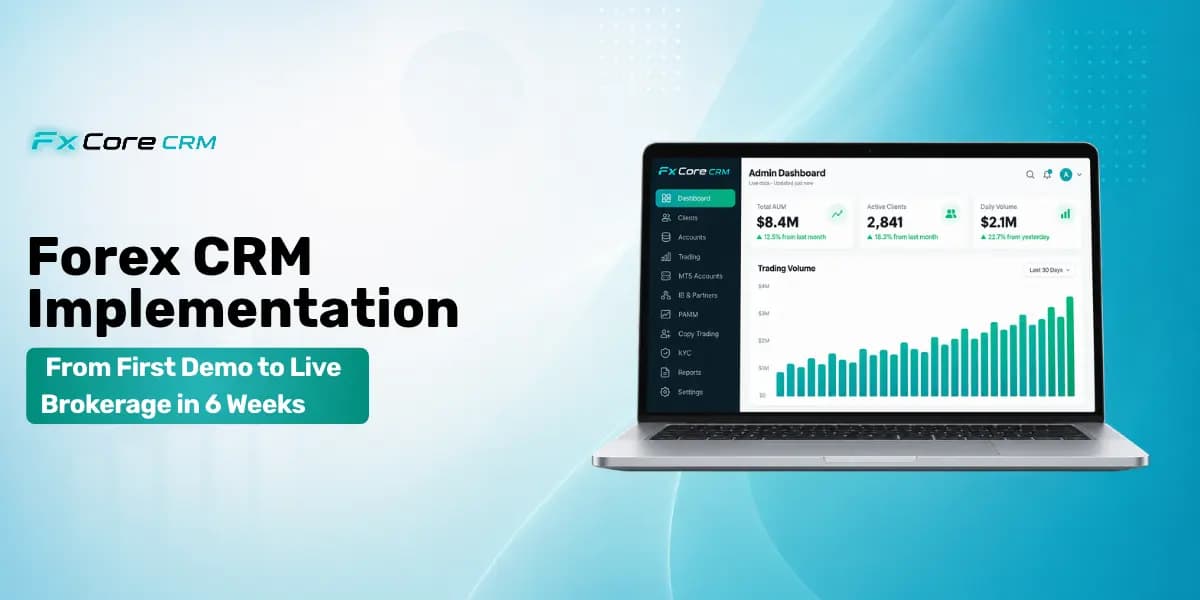
The gap between watching a forex CRM demo and having a fully operational brokerage running on that platform is where many new brokers lose momentum.
The demo looks great. The MT5 integration works smoothly. The client portal is exactly what you envisioned. The IB management handles your network structure. You decide to proceed. And then the question hits — what actually happens between now and the day your first real client logs in and makes a deposit?
For most brokers this question is not answered clearly enough during the sales process. Implementation gets described in general terms — “we will set everything up for you” or “standard deployment takes a few weeks” — without the specific sequence of steps, decisions and dependencies that determine whether the deployment finishes in six weeks or six months.
This guide covers the complete forex CRM implementation journey — from the first demo through to go-live — with the specific steps, decisions and validations that get a brokerage operational in six weeks rather than six months.
Why Implementation Takes Longer Than Brokers Expect
Before covering the correct implementation process, it helps to understand why forex CRM implementations frequently run over schedule — because the causes are almost always avoidable with proper preparation.
The broker is not ready with the inputs the implementation requires. The CRM provider needs specific information from the broker to configure the platform — MT5 server credentials, account group structure, IB commission rules, payment gateway API credentials, branding assets and compliance document requirements. When these inputs are not ready when needed, implementation waits. Days of waiting for a gateway API key or a compliance document template add up to weeks of delayed go-live.
MT5 group configuration is more complex than anticipated. Deciding which groups to create, what leverage to apply to each, how to handle Islamic account groups, what the margin call and stop-out levels should be and how to name groups consistently across multiple servers requires decisions that many brokers have not finalized before implementation begins. Configuration cannot proceed until these decisions are made.
Testing is rushed or skipped. Brokers eager to go live frequently try to compress or skip the testing phase — moving directly from configuration to go-live without verifying that every workflow functions correctly. Testing failures discovered in production with live clients and real money are significantly more damaging and expensive to fix than the same failures found during a proper testing phase.
The IB network structure is not fully documented. Rebuilding a complex multi-tier IB network in a new CRM requires the complete hierarchy — every IB, their tier relationships, their commission structures and the clients attributed to each. When this documentation does not exist, the implementation team must gather it during the project — adding significant time.
All of these delays are preventable with proper preparation before implementation begins.
Get Free Demo
Week 0 — Pre-Implementation Preparation
The work that happens before the formal implementation clock starts determines whether the six-week target is achievable. Brokers who treat Week 0 as optional discover that their six-week implementation becomes a ten-week one.
Gather MT5 access credentials
The implementation team needs manager-level MT5 access — specifically a manager account with permissions to create and modify accounts, credit balances and read trading data. Create a dedicated manager account for CRM integration rather than sharing an existing administrator account. Document the server address, port, manager login and password.
Finalize MT5 group structure
Before configuration can begin, the broker needs a finalized MT5 group architecture — every group that will exist on the server, what trading conditions apply to each and which client types will be assigned to which group.
At minimum, document:
Standard retail group — leverage, commission, swap settings, margin call and stop-out levels. Islamic swap-free group — same parameters with swap disabled and any alternative fee structure. VIP group if applicable — different trading conditions from standard retail. Demo group — conditions for demo account trading. Professional group if applicable — different leverage from retail under the broker’s regulatory framework.
If running multiple MT5 servers — standard and Islamic on separate servers — document the group structure for each server separately.
Compile IB network documentation
Every IB in the network needs to be documented — IB name, unique identifier, tier level, parent IB relationship, commission structure and the clients currently attributed to them. For new brokers without an existing IB network, this is straightforward. For brokers migrating from another platform, gathering this documentation from the existing system is a Week 0 task.
Commission structures need to be documented per IB or per IB tier — the commission type, rate, calculation basis and any special terms that differ from the standard arrangement.
Prepare payment gateway credentials
Every payment gateway the broker plans to integrate needs API credentials — API keys, webhook secrets, endpoint URLs and any gateway-specific configuration requirements. Gather these from each gateway provider before implementation begins. Missing gateway credentials are one of the most common causes of implementation delay because gateway providers sometimes take several days to process credential requests.
Prepare branding assets
The white-label client portal needs the broker’s branding — logo files in appropriate formats and sizes, color codes for primary and secondary brand colors, the domain the portal will be hosted on and the email domain for automated client communications.
Confirm compliance document requirements
The KYC workflow configuration needs the broker’s document requirements — which document types are accepted for primary identity verification, which for address proof and which for source of funds. These should reflect the broker’s regulatory framework requirements.
Week 1 — Platform Configuration
With Week 0 preparation complete, Week 1 focuses on initial platform configuration in the test environment.
MT5 test server connection
The implementation team establishes the Manager API connection to a test MT5 server. The test server mirrors the production server configuration — same groups, same symbols, same trading conditions — but contains only test accounts. Every integration test runs against the test server before anything touches the production server with live client accounts.
Verify the connection is persistent and bidirectional — check that balance changes on the test MT5 server appear in the CRM back office within seconds and that CRM instructions execute on the test MT5 server correctly.
Account type to group mapping
Configure the mapping between account types in the CRM and MT5 groups on the test server. Standard account type maps to the standard retail group. Islamic account type maps to the Islamic swap-free group. VIP account type maps to the VIP group. Demo account type maps to the demo group.
This mapping is the configuration that ensures new client accounts automatically provision to the correct MT5 group — the most important configuration in the entire implementation from an operational accuracy perspective.
IB network configuration
Build the complete IB network hierarchy in the CRM — every IB, every tier relationship and every commission structure. For new brokers this starts from scratch. For migrating brokers this imports from the documentation gathered in Week 0.
Verify the hierarchy is correct by reviewing it with the broker’s IB manager — the person who knows the network best will immediately identify any missing or incorrectly placed IBs.
Payment gateway connections
Connect each payment gateway using the API credentials gathered in Week 0. Configure webhook endpoints — the URLs the gateway will send payment confirmation notifications to. Verify gateway connections are active by checking that test webhook deliveries are received and logged correctly.
Client portal branding
Apply the broker’s branding to the white-label client portal — logo, colors, domain configuration and email domain setup. The portal should be unrecognizable as a shared platform and appear entirely as the broker’s own product.
KYC workflow configuration
Configure the compliance workflow — document type requirements for each client category, AML screening integration, compliance queue structure and automated communication templates for KYC status notifications.
Week 2 — Integration Testing
Week 2 is dedicated entirely to testing every automated workflow against the test environment. No shortcuts. No skipped test cases. Every workflow that will handle real client money and real compliance decisions in production gets verified in test first.
Account provisioning test
Create test client profiles for every account type the broker offers — standard, Islamic, VIP, demo. Approve each through the KYC workflow and verify:
The MT5 account creates automatically within 60 seconds of approval. The correct MT5 group is assigned — particularly critical for Islamic accounts going to the swap-free group. The correct leverage, currency and commission settings are applied. The account number links correctly to the client profile in the CRM.
Run this test for every account type. A broker who tests only standard account provisioning and goes live without testing Islamic account provisioning discovers the Islamic group mapping error through client complaints about unexpected swap charges — not during testing.
Deposit automation test
Process test deposits through each integrated payment gateway and verify:
The gateway sends the webhook confirmation to the CRM within the expected time. The CRM validates the payment details correctly. The MT5 balance credits automatically within 60 seconds of webhook receipt. The deposit appears in the client’s transaction history in the CRM. The client portal balance updates to reflect the deposit.
Test every gateway individually. Each gateway has its own webhook format and authentication mechanism — a configuration that works for one gateway does not guarantee the next gateway’s webhook is handled correctly.
KYC access control test
Approve a test client’s KYC and verify the MT5 account enables for trading automatically. Suspend the test client’s KYC and verify the MT5 account restricts automatically. Restore the KYC status and verify trading access restores. No manual MT5 admin panel steps should be required for any of these status changes.
IB commission calculation test
Generate sample trades on the test MT5 server from accounts attributed to IBs at different tiers of the test network. Run the commission calculation and verify:
The calculation correctly identifies every trade and attributes it to the correct IB at each tier. The commission amounts match the manually calculated expected amounts for each IB based on their configured commission structure. The trade-level breakdown in the IB portal shows the correct individual trade details.
Discrepancies found at this stage — before any real IB is paid — are configuration errors that can be corrected without commercial consequence. The same discrepancies found after go-live when IBs compare their statements against the new platform are disputes that damage relationships.
Withdrawal workflow test
Submit test withdrawal requests and verify the approval workflow routes correctly — standard requests to the appropriate approval tier, requests with destination mismatch to compliance review, requests exceeding available balance triggering the automatic notification to the client.
Week 3 — Compliance Review and Regulatory Alignment
Week 3 focuses on validating that the platform configuration meets the broker’s regulatory requirements — not just that the workflows function correctly but that they function correctly for the specific compliance framework the broker operates under.
KYC document requirement review
Have the compliance officer review the configured document requirements against the broker’s regulatory obligations. Every required document type should be present in the onboarding workflow. Document guidance shown to clients during submission should correctly describe acceptable formats and quality standards.
AML screening validation
Verify that AML screening is running against the correct lists for the broker’s regulatory framework. Some jurisdictions require screening against specific national lists in addition to international sanctions databases. Confirm that screening results are logging correctly in the compliance audit trail.
Audit trail review
The compliance officer should review the audit trail generated for a set of test client profiles — verifying that every compliance action is recorded with timestamp, operator identification and the complete action record that regulatory examination would expect to find. Any gaps in the audit trail indicate configuration issues that need to be resolved before processing real client compliance decisions.
Document expiry configuration
Configure document expiry tracking — advance warning windows for each document type, automated renewal communication templates and the MT5 access restriction that applies when documents expire without renewal. Verify the expiry tracking is recording document dates correctly for test submissions.
Compliance team training
The compliance team needs hands-on training with the new platform’s compliance queue — how submissions appear, how to review and approve or reject, how to handle edge cases and how to access the compliance history for any client. Training should happen against the test environment with realistic test submissions rather than in a theoretical walkthrough.
Week 4 — Team Training and Parallel Running Preparation
Week 4 covers operations team training and preparation for the parallel running period where both the current and new platforms run simultaneously.
Operations team training
Every team member who will use the platform in their daily work needs hands-on training in the test environment. This includes:
Client services team — navigating client profiles, accessing MT5 data from the CRM, handling deposit and withdrawal queries without accessing the MT5 admin panel directly.
Finance team — processing deposit reconciliation, managing the withdrawal approval queue, generating financial reports.
IB management team — navigating the IB network hierarchy, accessing commission calculation results, handling IB portal queries.
Compliance team — completing the specific training from Week 3 plus handling edge cases in the compliance queue.
Training should use realistic scenarios drawn from the broker’s actual operational experience — common client queries, typical IB commission questions and standard compliance situations — rather than generic product walkthroughs.
Parallel running setup
Configure the production MT5 server credentials in the CRM — but in a read-only monitoring mode initially. The production MT5 connection allows the CRM to display live client data without yet being the system of record for account provisioning and deposit credit.
This configuration allows the operations team to see real client data in the new CRM interface during the parallel period — validating that the MT5 connection to production works correctly and that real account data displays as expected — without the risk of duplicate account provisioning or double deposit credits.
Get Free Demo
Week 5 — Parallel Running
Parallel running is the period where both the current platform and the new platform operate simultaneously — the current platform remains the system of record while the new platform’s production connection is validated.
Production MT5 connection validation
With the production MT5 server connected in monitoring mode, verify that real client balance data displays correctly in the new CRM back office and client portal. Check a sample of real client accounts — compare balances shown in the new CRM against the current platform to confirm sync accuracy.
New client onboarding in new platform
New client registrations during the parallel period process through the new platform — real clients submitting real documents through the new client portal, processed through the new compliance queue. The operations team handles real KYC submissions in the new system for the first time.
This is the most valuable parallel running activity because it surfaces any UX or workflow issues in the new onboarding process that testing did not reveal — real clients behave differently from test scenarios.
Deposit automation validation on production
Process a small number of real deposits through the new platform’s payment gateway connections — verifying that real gateway webhooks arrive correctly, that real MT5 accounts are credited accurately and that the credit timing meets the expected sub-60-second standard.
Do not process all deposit volume through the new platform during parallel running — maintain the current platform as the primary deposit system until go-live. The parallel running deposit tests are validation samples, not full volume.
IB commission parallel calculation
Run the commission calculation in the new platform for the parallel period using the same trade data as the current platform’s calculation. Compare the results — every IB should show the same commission amount in both systems for the same period. Any discrepancy indicates a commission configuration issue that must be resolved before the new platform’s calculation becomes the basis for actual IB payments.
Week 6 — Go-Live
Go-live switches all live operations to the new platform. Several specific steps make the transition clean.
Switch deposit automation to new platform
The payment gateway webhooks switch to the new platform’s endpoints. From this point, all deposit webhooks route to the new CRM and trigger automatic MT5 credit through the new platform’s integration.
Verify the first real deposit processed through the new platform completes correctly before standing down the current platform’s deposit automation.
Switch account provisioning to new platform
New client KYC approvals in the new platform now trigger MT5 account creation automatically. Verify the first real account provisioning under the new platform completes correctly — correct group assignment, correct parameters, credentials delivered to the client.
Client portal go-live
The new client portal URL goes live on the broker’s domain. Redirect the old portal URL to the new one if the URL has changed. Send client notification of the new portal through email and WhatsApp.
IB portal go-live
IBs receive their new partner portal access — new URL, credentials if changed and confirmation that their commission history is available. Send the IB notification before go-live so IBs are not surprised by the change.
Post go-live monitoring — 48 hours
The first 48 hours after go-live require intensive operations monitoring:
Every deposit should be tracked from gateway confirmation to MT5 credit. Every new account provisioning should be checked for correct group assignment. MT5 balance sync should be verified against the MT5 admin panel for a sample of accounts. The withdrawal approval queue should be checked for any submissions that are not routing correctly. IB commission data should be verified as updating correctly from live trade data.
Daily reconciliation for the first two weeks catches any issues that only surface at live production volumes.
FxCore CRM — Six Week Implementation
FxCore CRM delivers the complete six-week implementation process with dedicated implementation management — covering MT5 integration configuration and testing, IB network rebuild, payment gateway connections, KYC workflow setup, client portal deployment and team training.
The implementation process follows the phased approach in this guide — test environment configuration in Week 1, comprehensive workflow testing in Week 2, compliance validation in Week 3, team training in Week 4, parallel running in Week 5 and go-live in Week 6.
The Dubai-based support team provides post go-live monitoring support during the first two weeks — available in Gulf Standard Time to respond immediately to any issues that surface as live operations transition to the new platform.
The six-week timeline assumes broker preparation is complete before Week 1 begins — MT5 credentials ready, group structure finalized, IB network documented, gateway credentials gathered and branding assets prepared. Brokers who arrive at Week 1 without these inputs extend their timeline by however long it takes to gather them.
Request a free forex CRM demo — the first step in the six-week journey to a live brokerage operation.
Contact: [email protected] | WhatsApp: +971 5557 14507
Frequently Asked Questions
Q: How long does forex CRM implementation actually take?
A properly managed forex CRM implementation covering MT5 integration, payment gateway connections, IB structure configuration, KYC workflow setup, team training and go-live completes in six weeks when the broker arrives at implementation with all required inputs ready. Brokers who begin implementation without MT5 credentials, finalized group structures or payment gateway API credentials typically add two to four weeks to this timeline waiting for inputs.
Q: What does the broker need to prepare before forex CRM implementation starts?
Broker preparation before implementation includes MT5 manager account credentials for a test server, finalized MT5 group structure documentation, complete IB network hierarchy with commission structures, payment gateway API credentials for every gateway to integrate, branding assets and domain configuration and compliance document requirements reflecting the broker’s regulatory framework.
Q: What is the most important thing to test during forex CRM implementation?
Account provisioning for every account type — particularly Islamic swap-free account provisioning to the correct MT5 group — and IB commission calculation against sample MT5 trade data. These two test areas catch the configuration errors that are most commercially damaging when discovered in production. Every account type should be tested end-to-end from KYC approval through MT5 account creation.
Q: What is parallel running in forex CRM implementation?
Parallel running is the period where both the current and new forex CRM platforms operate simultaneously — the current platform remains the system of record while the new platform’s production connection is validated with real client data and limited real transaction volume. Parallel running typically runs for one to two weeks before the full go-live switch.
Q: Does FxCore CRM provide implementation support?
Yes. FxCore CRM provides dedicated implementation management covering the complete six-week process — MT5 integration configuration, IB network rebuild, payment gateway connections, KYC workflow setup, client portal deployment, team training, parallel running and go-live support. Contact [email protected] to discuss your implementation requirements.
FxCore CRM is a forex technology provider headquartered in Dubai, UAE. The platform does not provide financial services or investment advice.