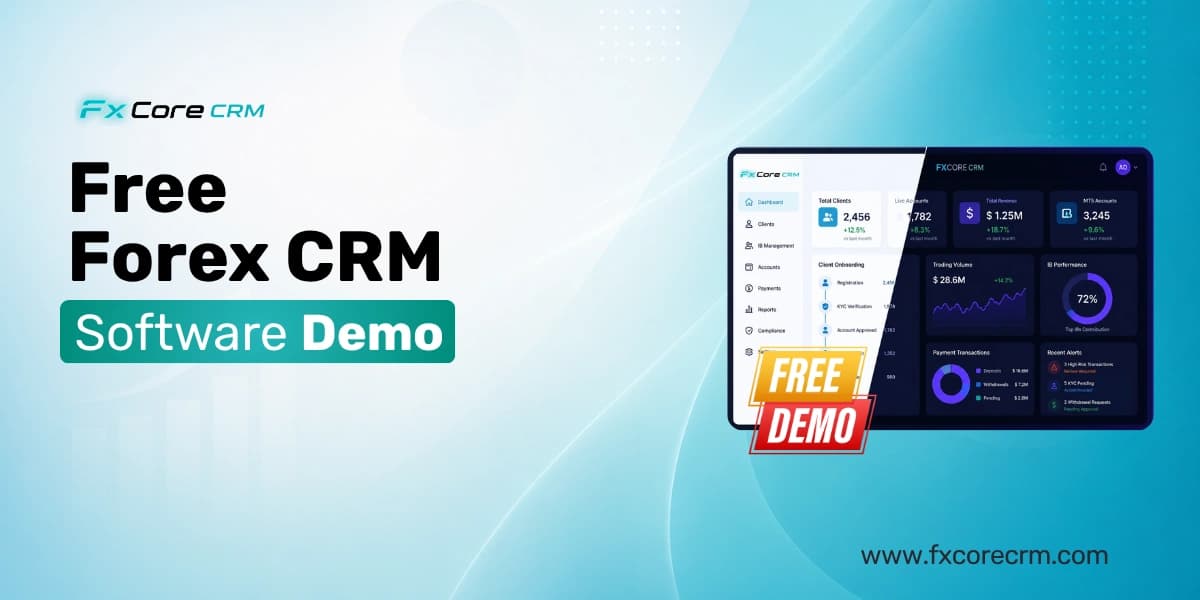
Free Forex CRM Software Demo — What FxCore CRM Shows Brokers in 30 Minute
Most forex brokers request a CRM demo and spend 45 minutes watching a sales presentation about features they could have read on a website. They leave the call without having seen a single live workflow, without understanding how their specific IB structure would be configured, and without any clearer picture of whether the platform actually works for their brokerage model.
A FxCore CRM software demo is different. In 30 minutes we show you exactly how your brokerage operations would run on FxCore CRM — live, in a configured demo environment, with real MT5 integration, real IB commission calculations and real KYC workflows — not slides, not screenshots and not feature lists.
This guide covers exactly what we show in every free FxCore CRM software demo so you know what to expect, what questions to prepare and how to evaluate what you see against your specific brokerage requirements.
Table of Contents
- Why Most Forex CRM Demos Waste Your Time
- How the FxCore CRM 30-Minute Demo is Structured
- Minute 1-5: Your Brokerage Dashboard
- Minute 6-10: MT5 CRM Integration Live
- Minute 11-15: IB Management and Commission Demo
- Minute 16-20: KYC and Client Onboarding Workflow
- Minute 21-25: Payment Processing and Client Portal
- Minute 26-30: Reporting and Your Questions
- How to Prepare for Your Demo
- What to Compare After Your Demo
- How to Request Your Free Demo
- Frequently Asked Questions
Why Most Forex CRM Demos Waste Your Time
Before covering what happens in a FxCore CRM demo it is worth understanding why most forex CRM demos fail to give brokers the information they actually need to make a good platform decision.
Problem 1 — Generic demos show generic workflows
Most CRM demos walk through a generic brokerage setup that does not reflect the specific IB tier structure, account types, payment methods or compliance workflow of the broker being shown the demo. You see the platform working for a fictional brokerage rather than yours.
Problem 2 — Demos avoid the hard questions
The workflows that matter most — what happens when a deposit fails, how an IB commission dispute gets resolved, how a KYC rejection triggers MT5 account suspension — are rarely shown in demos because they are operationally complex and not visually impressive.
Problem 3 — Slides replace live demonstrations
Many CRM demo calls spend 20 of 30 minutes on presentation slides covering company history, client logos and feature lists. Brokers leave having seen very little of the actual platform working.
Problem 4 — Integration depth is never verified
The most important technical question — how deep and how reliable is the MT5 integration — is almost never addressed in demos. Vendors claim real-time sync. Few demonstrate it live.
Problem 5 — Pricing is deferred
Brokers often complete a full demo evaluation without understanding the total cost of ownership because vendors defer pricing conversations until late in the sales process.
A FxCore CRM demo addresses all five of these problems in 30 minutes.
How the FxCore CRM 30-Minute Demo is Structured
Every FxCore CRM software demo follows this structure:
Before the demo call we ask you three questions:
Question 1: Which trading platform do you use — MT5, MT4, cTrader or Match-Trader?
Question 2: How many IB tiers do you manage and what commission structure do you use?
Question 3: Which markets do your clients come from — UAE, Europe, Asia or global?
These three answers let us configure the demo environment to reflect your actual brokerage structure before you join the call. You see FxCore CRM working for your brokerage — not a fictional one.
Minutes 1-5: Your Brokerage Dashboard
The demo opens with the FxCore CRM main operations dashboard — the screen your operations team would see every morning when managing your brokerage.
What we show in the first 5 minutes:
Real-time brokerage overview — The dashboard displays live metrics including active client count, today's deposit total, pending withdrawal requests, KYC queue size, active IB partners and MT5 connection status — all updating in real time from the demo environment.
Client activity feed — A real-time feed showing client actions: new registrations, KYC document submissions, deposit requests, withdrawal requests and support tickets. Everything your operations team needs to see without switching between systems.
Alert and task management — Pending items requiring team action: KYC documents awaiting review, withdrawal requests awaiting approval, IB commission disputes flagged for resolution, compliance alerts triggered by client activity.
Team workflow view — How different team members — compliance, finance, sales, support — see different views of the same client data appropriate to their role and permissions.
Navigation overview — A 60-second tour of the main sections: Clients, Accounts, IB Network, Payments, Compliance, Reports and Settings — so you understand the platform structure before we go deeper.
What brokers typically say at this point:
Most brokers comment that the dashboard is significantly cleaner and more operationally useful than what they are currently using — whether that is a competitor CRM, a manual spreadsheet system or a generic CRM tool adapted for brokerage use.
Minutes 6-10: MT5 CRM Integration Live
The MT5 integration demonstration is the most technically important part of the FxCore CRM demo. This is where we show rather than tell how the integration works.
What we show in minutes 6-10:
Live MT5 connection status — We open the integration settings and show the live connection between FxCore CRM and the demo MT5 server — connection status, last sync timestamp and current latency. You see the integration is actually connected, not claimed to be.
Real-time account creation — We create a new client account in FxCore CRM and watch the MT5 account provision automatically in the connected demo server. We time this — from CRM account creation to MT5 account appearing in the server typically takes under 60 seconds. No separate MT5 admin panel action required.
Live balance sync demonstration — We show a client account in FxCore CRM with their current MT5 balance, equity and open positions displaying in real time. We then process a test deposit in the demo environment and watch the MT5 balance update automatically within seconds. This proves real-time sync rather than batch synchronization.
KYC access control live — We change a demo client's KYC status from approved to pending in the CRM compliance panel and watch the MT5 account status change automatically — the account moves to read-only without any separate MT5 admin panel action.
Trade history import — We show a demo client's complete trade history from MT5 displaying in the CRM client profile — symbol, volume, open price, close price, profit and commission — available for IB commission calculation and client reporting without manual export.
Questions we expect in this section:
Brokers typically ask about sync latency, what happens when the MT5 connection drops, how multiple MT5 servers are handled and whether MT4 works the same way. We answer all of these live during the demo with the actual system rather than a theoretical explanation.
Minutes 11-15: IB Management and Commission Demo
IB management is operationally critical for most forex brokers — particularly those serving Middle Eastern, Asian and emerging market client bases where introducing broker networks drive the majority of new client acquisition.
What we show in minutes 11-15:
IB network structure — We open the IB management section and show a demo IB network configured to match the tier structure you described in your pre-demo questions. If you run a three-tier structure we show three tiers. If you have five tiers we show five tiers. You see your actual structure, not a two-tier default example.
Live commission calculation — We select a demo IB and run a commission calculation against sample trade data in the demo MT5 account. The calculation runs from actual MT5 trade data — you see which trades generated commission, what the spread or lot-based calculation produced and what the total commission for that IB is for the period.
Sub-IB hierarchy — We navigate through the IB network showing how master IBs see their sub-IBs, how commission flows through tiers and how each level's earnings calculate independently and correctly.
IB portal view — We switch to the IB-facing portal view — the screen your IBs log into — showing their referred client list, current period commission, historical payouts and referral link management. This is what your IBs see and what determines their satisfaction with your platform.
Commission dispute resolution — We show how an IB commission query is handled — finding the specific trade generating a disputed commission, showing the calculation breakdown to the IB and adjusting if an error is confirmed. This workflow, which most CRM demos never show, is where operational complexity lives in real brokerage IB management.
Payout processing — We show how an IB payout request is initiated from the IB portal, routes through the finance team approval workflow in the CRM and triggers payment processing.
What brokers say in this section:
Brokers with existing IB networks frequently say this is the most useful part of the demo — seeing their actual commission structure working rather than a simplified example. Brokers with complex multi-tier structures often identify configuration requirements during this section that they had not considered before the demo.
Minutes 16-20: KYC and Client Onboarding Workflow
Client onboarding speed directly impacts conversion rates. Every day between a client registering and a client trading represents lost revenue opportunity. The KYC workflow demo shows exactly how FxCore CRM compresses this timeline.
What we show in minutes 16-20:
Client registration flow — We show a new client completing registration in the demo client portal — entering personal details, selecting account type and submitting for KYC review. The registration takes under two minutes in the demo. The client record appears in the CRM compliance queue immediately upon submission.
Document collection workflow — We show the compliance team view of the KYC queue — the submitted client record, the document upload request that goes to the client automatically, and the document review interface where compliance team members evaluate submitted documents.
Document review and decision — We show a compliance team member reviewing a submitted identity document and proof of address, running an AML screening check and approving the KYC submission. We then show the automatic MT5 account activation triggered by the KYC approval — the client can now trade without any separate MT5 action from the operations team.
KYC rejection workflow — We show what happens when a document is rejected — the automatic client notification with reason and instructions, the client resubmission through the portal and the compliance team resubmission review. This complete loop, which manual KYC processes handle through email chains, runs entirely within FxCore CRM.
Enhanced due diligence — For brokers in regulated markets, we show the enhanced KYC workflow — additional documentation requests triggered by risk flags, senior review queue routing and audit trail generation.
KYC timeline metrics — We show the KYC completion rate dashboard — what percentage of registered clients complete KYC within 24 hours, 48 hours and 7 days. Brokers using FxCore CRM's automated KYC workflow consistently see faster completion rates than manual processes because the client guidance is clearer and the process requires less back-and-forth communication.
Compliance audit trail — We show the complete audit trail for a demo client's KYC journey — every document submission, review action, status change and team member action recorded with timestamps and operator identification for regulatory examination.
Minutes 21-25: Payment Processing and Client Portal
Payment processing and the client-facing portal are the two elements of brokerage infrastructure that most directly impact client experience and satisfaction.
What we show in minutes 21-25:
Client portal walkthrough — We open the white-label client portal as a client would see it — branded with a demo brokerage logo and color scheme. We navigate through the key sections: account overview with live MT5 balance, deposit interface, withdrawal interface, KYC document status, trading platform download and support access.
Deposit flow live — We initiate a test deposit in the demo client portal — selecting payment method, entering amount, completing the simulated payment gateway flow and watching the MT5 account balance update automatically upon payment confirmation. The entire sequence from deposit initiation to MT5 balance credit runs in the demo environment without any manual steps.
Multiple payment methods — We show the payment method selection available to clients — the range of gateways available depends on the markets you serve. For Middle East-focused brokers we show regional payment options. For European-focused brokers we show SEPA and European card options. For global brokers we show the full gateway range.
Withdrawal processing — We show a client submitting a withdrawal request through the portal, the request appearing in the finance team approval queue in the CRM back office, the approval workflow and the MT5 balance deduction triggered by withdrawal approval. We show what happens when a withdrawal requires additional compliance review and how the client is notified.
Client portal customization — We show the white-label configuration — how your brokerage logo, colors, domain and content replace the default branding. The client portal your traders use carries your brand completely, not FxCore CRM branding.
Multi-account management — For brokers with clients holding multiple accounts — standard, VIP, Islamic, demo — we show how the client portal handles multiple account types with separate balance display, deposit and withdrawal management per account.
Mobile responsiveness — We show the client portal on a mobile device view — the layout adapts fully for mobile browsers without a separate mobile app requirement.
Minutes 26-30: Reporting Dashboard and Your Questions
The final five minutes cover the business intelligence reporting layer and give you time to ask the specific questions your brokerage situation requires.
What we show in minutes 26-30:
Operations overview report — The daily operations report showing new registrations, KYC completions, deposits processed, withdrawals completed and active trading accounts — the morning report your management team would review daily.
IB performance report — Network-wide IB performance showing top performing IBs by client volume, total commission liability for the period and IB payment status — the finance team's monthly view of the IB network.
Client acquisition report — Client flow from registration through KYC completion to first deposit — showing where in the funnel clients are dropping off and which acquisition sources are generating the highest quality clients.
Revenue report — Trading volume by instrument and account type, spread revenue estimation and payment processing volumes — the management reporting layer that connects trading data with business performance metrics.
Custom report demonstration — We show how custom reports are configured for specific brokerage requirements — adding and removing metrics, adjusting date ranges and exporting data in formats compatible with your finance and compliance workflows.
Your questions — The final portion of every demo is dedicated entirely to your specific questions. Common questions brokers bring to this section include:
"How would my specific IB commission structure work?""What happens during a payment gateway outage?""How does the system handle clients in multiple currencies?""What does implementation actually look like step by step?""What support is available after go-live?""Can you show me [specific feature] we discussed before the call?"No demo question is off limits. If we cannot show something live in the demo environment we will tell you directly rather than deferring to a follow-up call.
How to Request Your Free FxCore CRM Software Demo
Requesting a FxCore CRM software demo takes less than two minutes:
Option 1 — Request form:
Visit https://fxcorecrm.com/request-demo and complete the short request form. Include your trading platform, approximate client count and preferred demo time. Our team confirms your demo slot within 24 hours.
Option 2 — Email:
Email [email protected] with subject line "Demo Request" and include:
- Your trading platform (MT5, MT4, cTrader)
- Your IB tier count
- Your primary client market
- Your preferred date and time (include your timezone)
Option 3 — WhatsApp:
Message +971 5557 14507 on WhatsApp with "Demo Request" and our team responds within business hours to schedule your call.
Frequently Asked Questions
Q: What is a forex CRM software demo?
A forex CRM software demo is a live demonstration of a forex CRM platform's capabilities, typically conducted by video call with screen sharing. A quality forex CRM software demo shows the platform working in a configured environment that reflects your specific brokerage model — including your trading platform integration, IB structure and compliance workflow requirements — rather than a generic presentation of features.
Q: Is the FxCore CRM software demo really free?
Yes. The FxCore CRM demo is completely free with no obligation. We do not require payment details, contract commitments or extended trial sign-ups to access a demo. A 30-minute call with our team costs nothing and results in a clear understanding of whether FxCore CRM fits your brokerage requirements.
Q: How long does a FxCore CRM demo take?
The standard FxCore CRM demo takes 30 minutes. This covers the main dashboard, MT5 integration, IB management, KYC workflow, payment processing, client portal and reporting — with time for your specific questions. We keep demos to 30 minutes because we have found that brokers retain more from a focused demonstration than an extended one. If you need more time after the initial demo we schedule a follow-up technical call at no charge.
Q: Can I see my specific IB commission structure in the demo?
Yes. This is specifically why we ask about your IB structure before the demo call. We configure the demo environment to reflect your tier count and commission types so you see your actual commission calculation running on sample trade data rather than a simplified generic example.
Q: Does the demo show live MT5 integration?
Yes. The FxCore CRM demo environment connects to a live MT5 demo server. You see real account creation, real balance sync and real KYC access control in the demo — not simulated or recorded demonstrations of integration that may not reflect actual production performance.
Q: What trading platforms does FxCore CRM support?
FxCore CRM supports MT5, MT4, cTrader and Match-Trader natively. If you use multiple trading platforms simultaneously the demo can show integration with your specific platform combination. Let us know your platform requirements when requesting your demo.
Q: Can I invite my technical team or compliance officer to the demo?
Yes and we actively encourage it. The most productive demos include the operations manager or CEO seeing the overall workflow, a technical team member evaluating the MT5 integration depth and a compliance officer or finance director evaluating the KYC and payment processing workflows simultaneously. We send a single video call link you can share with all attendees.
Q: Will I receive pricing information during the demo?
Yes. Unlike many CRM vendors who defer pricing to a separate commercial conversation, FxCore CRM provides pricing information during or immediately after your demo call. You receive a written pricing summary within 24 hours of the demo covering monthly platform fees, setup costs and integration expenses specific to your brokerage configuration.
Q: What happens after the demo if I want to proceed?
After your demo you receive a follow-up document covering the pricing summary, implementation timeline and next steps specific to your brokerage. If you decide to proceed we schedule an implementation planning call to configure your production environment, define your go-live timeline and assign your dedicated implementation manager.
Q: How is the FxCore CRM demo different from competitors?
The main difference is configuration specificity. We configure the demo environment to your brokerage before the call rather than showing a generic default setup. We demonstrate live MT5 integration rather than describing integration that may perform differently in production. We show complete workflows including rejection and error scenarios rather than only the successful path. And we provide pricing during the demo rather than deferring it to a separate sales conversation.
Conclusion
A forex CRM software demo should answer one question clearly: will this platform actually work for your brokerage?
Not "does this platform have the features we need" — you can read a feature list. Not "does this platform look impressive" — every CRM looks good in a controlled demonstration. The real question is whether the MT5 integration is genuinely real-time, whether your IB commission structure calculates correctly, whether the KYC workflow reduces your compliance team's manual workload and whether the client portal delivers the experience your traders expect.
In 30 minutes a FxCore CRM software demo answers all of these questions for your specific brokerage — configured to your trading platform, your IB structure and your compliance requirements before the call begins.
Request your free FxCore CRM software demo today:
Visit https://fxcorecrm.com/request-demo
Youtube : https://www.youtube.com/watch?v=gdSS437R-Vs&t=2s
Email: [email protected]
WhatsApp: +971 5557 14507