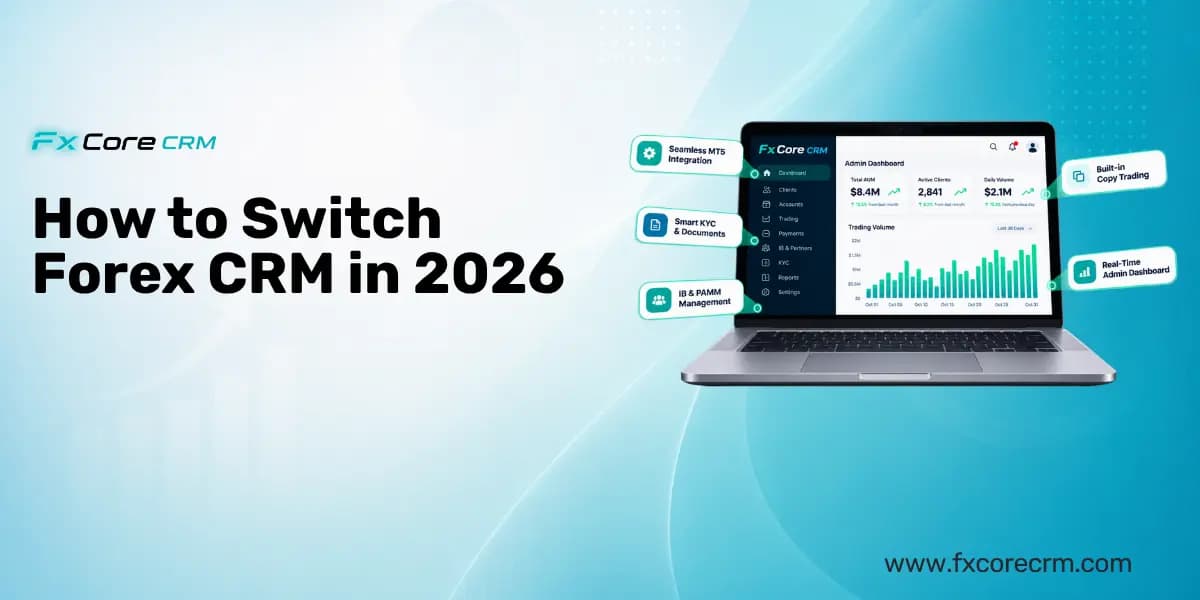
How to Switch Forex CRM Without Losing Client Data — Complete Guide
Switching forex CRM platforms is one of the most operationally sensitive technology decisions a live brokerage makes. Unlike switching a marketing tool or an analytics platform, your CRM holds everything — every client record, every KYC document, every IB commission history entry, every transaction record, every compliance audit trail entry.
Get the migration right and you move to a better platform with minimal disruption. Get it wrong and you lose data that cannot be reconstructed, create compliance gaps that regulators will find and damage client and IB relationships through service interruptions that happen at exactly the moment you are trying to show partners and clients that you are improving your operations.
The good news is that forex CRM migration done properly is straightforward. It requires careful planning, the right sequence of steps and honest communication with your CRM provider — but it is not technically exotic and brokers do it successfully every month.
This guide covers everything you need to know to switch forex CRM without losing client data — from the decision to switch through to full operational deployment on the new platform.
Before You Start: Confirming the Decision to Switch
Before planning the migration itself, confirm that switching is genuinely the right decision rather than a configuration or relationship issue that could be resolved with the existing provider.
The most common legitimate reasons brokers switch forex CRM platforms are MT5 integration failures that have not been resolved after extended engagement with the provider, IB commission calculation errors that occur systematically and cannot be traced or fixed, KYC workflow limitations that create compliance gaps as the brokerage scales, pricing that has grown disproportionately relative to the value delivered and platform performance that has degraded as client volumes have grown.
If the issue driving the switch decision is a specific feature gap or configuration problem rather than a fundamental platform limitation, raise it explicitly with the current provider before committing to migration. A resolved configuration issue costs significantly less than a migration — and confirms whether the current provider is capable of addressing problems or not, which itself informs the switch decision.
Once the decision is confirmed, migration planning begins immediately. The longer a broker operates on a platform they have decided to leave, the more data accumulates that needs to migrate and the more operational habits embed around workflows that will change.
Phase 1 — Complete Data Inventory Before Touching Anything
The first and most important step in forex CRM migration is knowing exactly what data exists in the current system before attempting to move any of it.
Client records
Every client profile — personal information, contact details, account status, KYC status, account type, IB attribution, acquisition source and any notes or tags added by the operations team. The count of client records matters — brokers frequently discover during migration preparation that their client database contains significantly more records than they expected because inactive, rejected and incomplete registrations have accumulated alongside active clients over the platform's history.
KYC documents
Every document submitted by every client — identity documents, proof of address, source of funds documentation, enhanced due diligence files. These documents are compliance records with regulatory retention requirements. Losing them during migration is not just an operational inconvenience — it is a compliance failure that may be discovered during regulatory examination.
Critically, KYC documents must be exportable from the current platform in a format that the new platform can import. Some forex CRM platforms store documents in proprietary formats or do not provide bulk document export capability. Verify document export capability with the current provider before committing to a migration timeline.
MT5 account data
MT5 account numbers linked to client profiles, account types, account status history and the MT5 group each account is assigned to. The actual account data — balances, trade history, positions — lives on the MT5 server and does not need to migrate through the CRM. But the CRM record linking each client to their MT5 account number must migrate correctly or the new CRM cannot connect to the right accounts.
IB network structure and commission history
The complete IB hierarchy — every IB in every tier with their relationships, commission structures and the clients attributed to each — is among the most complex data to migrate correctly. Commission history — what was paid, when, for which clients' trading activity — must transfer with full traceability so the new platform can calculate future commissions correctly and IBs can reference their historical statements.
This is the data category where migration errors are most commercially damaging. An IB whose commission history is incomplete or incorrect in the new system immediately notices — and the damage to the broker-partner relationship from a visible data migration failure is significant.
Transaction records
Every deposit and withdrawal record — amount, date, payment method, gateway reference number, MT5 account credited — forms the financial history that the finance team uses for reconciliation, the compliance team uses for AML monitoring and clients reference when disputing account history.
Communication history
Email and WhatsApp communication history linked to client profiles. Support ticket history. Automated notification records. This data is useful context for the operations team but is typically lower priority than financial and compliance data if trade-offs must be made.
Phase 2 — Confirm Export Capability With Current Provider
Once the data inventory is complete, confirm with the current forex CRM provider that every data category can be exported in a usable format.
This conversation needs to happen before you give notice of termination. Some providers become less cooperative about facilitating data export after receiving termination notice — and discovering that critical data is not exportable after giving notice creates a difficult situation.
Key questions to ask the current provider:
Can all client records be exported in a standard format — CSV, JSON or XML — that includes every field in the client profile? Some platforms export summary data but omit fields that only appear in certain views.
Can KYC documents be exported in bulk as individual files with a mapping that associates each document file to the correct client record? A zip file of ten thousand documents with no naming convention linking them to clients is not a usable export.
Can IB network hierarchy be exported in a format that preserves the tier relationships — not just a flat list of IBs but the parent-child relationships that define the network structure?
Can commission history be exported at trade level — showing which trades generated which commission for which IB — or only as aggregated period statements?
Can transaction records be exported with all payment gateway reference data intact?
If the current provider cannot provide complete export in usable formats, this needs to be resolved before migration begins — through escalation, through technical assistance from the new provider or through manual data assembly if necessary.
Get Free Demo
Phase 3 — Set Up New Platform in Test Environment
While export preparation is underway with the current provider, the new forex CRM platform should be configured in a test environment that mirrors the broker's actual operational setup as closely as possible.
MT5 integration in test environment
Configure the new platform's MT5 integration against a test MT5 server — not the production server with live client accounts. The test environment needs to verify that:
Account provisioning creates accounts with correct group assignments for every account type the broker uses — standard, Islamic, VIP, demo. This is where the MT5 group mapping configuration gets validated before it affects live accounts.
Deposit automation correctly credits the correct MT5 account when a test payment webhook arrives. The webhook endpoint configuration, payment validation logic and MT5 credit execution should all be verified in test before any live deposits are processed.
KYC status changes correctly apply MT5 account access restrictions. Test approval and suspension workflows against test accounts on the test MT5 server.
IB structure configuration
Rebuild the complete IB network hierarchy in the new platform. This is a significant configuration task for brokers with large, complex multi-tier networks — but it is configuration work that is better done in a test environment where errors can be corrected without affecting live commission calculations.
Verify commission calculation against sample trade data from the test MT5 server. The calculated commission should match what the broker's existing commission records show for equivalent trades — any discrepancy indicates a configuration error that needs to be resolved before migration.
KYC workflow
Configure the compliance workflow — document type requirements, AML screening integration, compliance queue structure, approval and rejection communication templates. Test the complete flow from document submission through compliance review to MT5 account activation.
Payment gateway connections
Connect payment gateways in the test environment and verify webhook delivery and MT5 credit automation. Each gateway the broker uses should be tested individually — gateway-specific webhook formats, authentication configurations and error handling behaviors can differ significantly.
Phase 4 — Data Migration Execution
With the test environment fully validated, data migration moves to the production environment of the new platform — but still before the switch of live operations.
Migration sequence matters
Client records migrate first — establishing the client database that all other data will link to. IB network structure migrates next — establishing the hierarchy that commission history will attach to. Commission history migrates third — linking historical commission records to the correct IB records. Transaction records migrate fourth — linking deposit and withdrawal history to the correct client records. KYC documents migrate last — linking document files to the correct client records.
This sequence ensures that when later-migrated data needs to link to earlier-migrated records, those records already exist in the new system.
Validation after each migration phase
After each data category migrates, validate a sample before proceeding to the next category.
Client record validation: Select twenty to thirty client records at random and verify that every field — name, contact details, KYC status, MT5 account number, IB attribution — matches the source record in the current system.
IB hierarchy validation: Ask your most senior IB to review their network structure in the new platform and confirm that all their sub-IBs are present and correctly attributed. An IB who knows their network well will identify any missing or incorrectly placed members immediately.
Commission history validation: Select five to ten IBs and verify that their commission history in the new platform matches their statements from the current system for a defined historical period. Any discrepancy indicates a data mapping issue that must be resolved before go-live.
Transaction validation: Select twenty to thirty client deposit records and verify that amount, date, gateway reference and MT5 account credited match the source records.
KYC document validation: Select twenty to thirty client files and verify that every document is present, correctly associated with the right client and readable in the correct format.
Phase 5 — Parallel Running Period
Before switching live operations to the new platform, a parallel running period — where both the current and new platforms are operational simultaneously — allows final validation under real conditions without risking live operations.
During parallel running:
New client registrations process through both platforms simultaneously — verifying that the new platform's onboarding workflow functions correctly with real clients and real documents before it becomes the sole system.
Deposits process through the current platform — ensuring clients are not affected by any issues in the new platform's payment automation during the parallel period. Deposits in the new platform process only with test transactions.
IB commission calculation runs in both platforms for the same period using the same trade data — allowing comparison of calculated commission amounts between the two systems before any IB is paid from the new system's calculation.
Compliance workflows run in the new platform for new submissions while the current platform handles existing cases — allowing the compliance team to become familiar with the new workflow without disrupting the pipeline of cases already in progress.
Parallel running typically runs for one to two weeks for straightforward migrations. More complex migrations with large client bases or intricate IB structures may benefit from a longer parallel period.
Phase 6 — Go-Live and Post-Migration
The go-live transition moves all live operations to the new platform. Several specific actions are required at go-live.
Switch MT5 integration to production server
The new platform's MT5 integration switches from the test server to the production server. This is the most operationally significant step — from this point, the new platform is responsible for all live MT5 operations including account provisioning, deposit credit and KYC access control.
Verify the production MT5 connection immediately after switching. Watch a real deposit process through to MT5 credit. Confirm that existing client balances are displaying correctly. Verify that the operations team can see all client accounts in the new back office.
Notify IBs of portal change
IBs need advance notice that their partner portal access is changing — new URL, potentially new login credentials. This communication should go out before go-live so IBs are not surprised by a changed portal. Provide the new portal URL, confirm that their commission history is available in the new portal and give them a contact for any questions.
Redirect client portal if URL has changed
If the client portal URL is changing, implement a redirect from the old URL to the new one and notify clients through email and WhatsApp. Clients who have bookmarked the old URL need to be able to reach their account without contacting support.
Intensive monitoring for the first 48 hours
The first 48 hours after go-live require close monitoring — deposit automation, account provisioning, balance sync and IB commission data all need verification under live conditions. Daily reconciliation for the first two weeks catches any data integrity issues that only surface at production volumes.
Common Migration Mistakes and How to Avoid Them
Starting migration without confirming export capability
Discovering mid-migration that KYC documents cannot be bulk exported from the current platform — or that IB hierarchy cannot be exported in a structured format — causes significant delays and potentially forces manual data reconstruction that adds weeks to the timeline.
Migrating to production without test environment validation
Going directly from the current platform to the new production environment without a test period means MT5 group mapping errors, payment gateway configuration issues and IB commission calculation discrepancies are discovered with live clients and real money involved rather than in a controlled test environment.
Giving termination notice before export is complete
Some brokers give notice to the current provider before confirming that all data has been successfully exported. If the current provider becomes uncooperative about data export after receiving termination notice — which occasionally happens — the broker has lost both their negotiating position and potentially their data access.
Not validating IB commission history before go-live
IB commission history migration errors discovered after go-live — when IBs begin comparing their new portal history against their own records — are difficult and expensive to resolve. A dispute about whether an IB received the correct commission in a historical period is far more damaging after the broker has already switched platforms than before.
Underestimating MT5 reconfiguration time
Reconfiguring the MT5 integration on the new platform — group mapping, deposit automation, KYC access control — takes longer than brokers expect when doing it for the first time. Allow adequate time for test environment configuration and validation before committing to a go-live date.
FxCore CRM Migration Support
FxCore CRM provides dedicated migration support for brokers switching from other platforms — covering data import assistance, MT5 integration configuration, IB network rebuild and parallel running validation.
The migration process with FxCore CRM follows the phased approach described in this guide. The implementation team works with the broker to confirm data export formats from the current platform, maps exported data to FxCore CRM's import structure and validates migration completeness before any go-live date is set.
MT5 integration configuration in the test environment covers complete account type to group mapping, deposit automation verification and KYC access control testing before the production switch.
IB network hierarchy rebuild is supported by the implementation team — working from the broker's exported IB structure to configure the correct tier relationships and commission structures in FxCore CRM.
Digital onboarding and compliance workflow configuration covers document type setup, AML screening integration and compliance queue configuration matched to the broker's regulatory requirements.
Post-migration the Dubai-based support team provides intensive monitoring support during the first two weeks — available to respond immediately to any issues that surface as live operations transition to the new platform.
Request a migration consultation at https://fxcorecrm.com/request-demo
Contact: [email protected] | WhatsApp: +971 5557 14507
Frequently Asked Questions
Q: How long does switching forex CRM take?
A typical forex CRM migration takes four to eight weeks from decision to full go-live on the new platform. This covers data export confirmation, new platform test environment setup and validation, data migration execution and validation, parallel running and production go-live. More complex migrations — large client bases, intricate IB structures, multi-server MT5 setups — take longer. Rushing the timeline to meet an arbitrary deadline is the most common cause of migration problems.
Q: What data is most at risk during a forex CRM migration?
KYC documents and IB commission history are the highest-risk data categories during forex CRM migration. KYC documents are compliance records with regulatory retention requirements — losing them creates audit trail gaps. IB commission history errors discovered after go-live create partner disputes that damage commercially important relationships. Both categories require careful validation before the current platform is decommissioned.
Q: Should I tell my current CRM provider I am switching before data export is complete?
No. Confirm that all data can be exported in usable formats and complete the export before giving termination notice to the current provider. Some providers become less cooperative about facilitating data export after receiving notice — and discovering export limitations after giving notice creates a situation where the broker has lost negotiating leverage and potentially data access simultaneously.
Q: How do I migrate IB commission history to a new forex CRM?
IB commission history migration requires exporting commission records from the current platform at trade level — not just period totals — in a structured format that includes the IB identifier, period, trade reference, commission amount and payment status. The new platform imports this data and links it to the correct IB records in the rebuilt network hierarchy. Validate commission history accuracy by asking key IBs to compare their historical records against the imported data before go-live.
Q: Does FxCore CRM support migration from other forex CRM platforms?
Yes. FxCore CRM provides migration support including data import assistance, MT5 integration reconfiguration, IB network rebuild and parallel running validation. The implementation team works with brokers to manage the migration process from data export through to production go-live. Contact [email protected] to discuss your specific migration requirements.
Get Free Demo
FxCore CRM is a forex technology provider headquartered in Dubai, UAE. The platform does not provide financial services or investment advice.