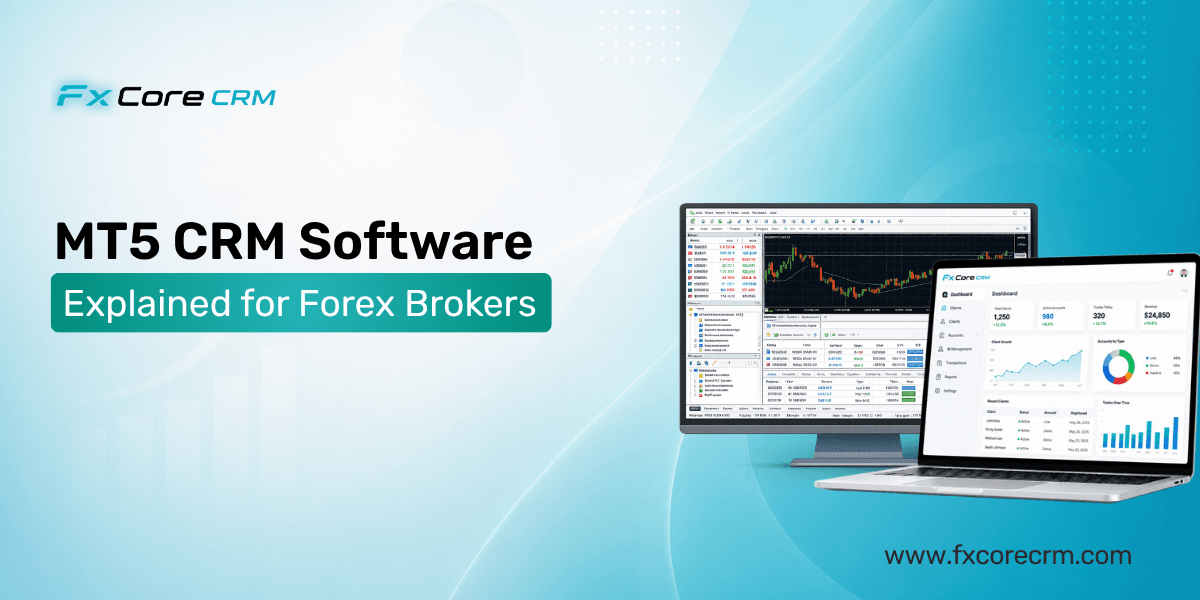
MT5 CRM Software is often something new brokers buy only after operations start breaking down. A client deposits, the payment reaches your provider, but the trading account still shows zero. Support sees one thing, finance sees another, and dealing sees something else.
Table of Contents
- What MT5 CRM Software does in a brokerage
- How MT5 CRM Software connects to daily operations
- How to evaluate MT5 CRM Software before you buy
- Frequently Asked Questions
- Conclusion
That is why this matters. If you are launching a brokerage, MetaTrader 5, or MT5, is only one part of the stack. It runs trading, but it does not run the business around trading.
This article explains where MT5 ends, where a CRM begins, and what to check before you choose one. Get this layer right, and your brokerage runs through one controlled workflow instead of several disconnected tools.
What MT5 CRM Software does in a brokerage
From a broker's side, MT5 is the trading engine. It handles trading accounts, groups, symbols, orders, positions, margin, and platform reporting. It is where trades happen, not where your full client operation should live.
That is where MT5 CRM software comes in. It acts as the operating layer between your MT5 server and daily business processes. A strong forex CRM manages:
- client registration
- KYC, or Know Your Customer, checks
- deposits and withdrawals
- IB, or Introducing Broker, tracking and commissions
- support requests
- back office controls for staff
Your back office is the internal admin system teams use to approve accounts, review documents, post balance actions, and monitor issues.
A simple startup example shows the gap. A broker may get 200 registrations a month. MT5 can hold trading accounts, but it will not chase missing documents, block withdrawals for unverified clients, route card deposits through a PSP, or Payment Service Provider, or calculate multi-level IB rebates. The CRM handles those tasks and links them back to MT5.
This is why many broker owners learn that Forex Brokers CRM is not mainly a sales tool. It is the hub that keeps onboarding, funding, compliance, and support connected to live account data. For more on core modules, see forex CRM features.
Get Free Demo
MT5 CRM Software vs a generic CRM
A generic CRM like Salesforce or HubSpot is built for contact records, sales pipelines, and email tracking. Useful, yes, but not enough for a brokerage.
A broker needs MT5-specific actions such as:
- creating MT5 accounts automatically
- assigning account groups
- posting balance operations
- gating account access based on KYC status
- showing a trader's room, or client area, with funding and support workflows
A standard CRM can be customized, but that usually means heavy development, ongoing maintenance, and more failure points. What looks cheaper at the start often becomes more expensive later.
How MT5 CRM Software connects to daily operations
A proper MT5 CRM Provider connects the CRM to MT5 through the Manager API. In simple terms, this server-side connection lets the CRM read and write operational data in MT5.
That matters because it turns separate tasks into one workflow. A client registers in the client area. The CRM checks KYC. If approved, it creates the live account in MT5, assigns the correct group, and makes it visible in the back office. When the client deposits, the CRM receives the PSP confirmation, records the transaction, and posts the balance action to MT5.
The same flow applies to:
- account opening
- demo and live account creation
- deposits and withdrawals
- credit in and credit out
- internal transfers
- trading-data visibility for support and finance
One startup broker with one MT5 server and two payment methods was handling deposits manually. Clients waited up to 20 minutes for balances to appear. After moving to a CRM with direct MT5 posting, average posting time dropped to under a minute, and deposit-related tickets fell by 40%.
A good Forex CRM Software should also give staff enough trading data in the back office to act quickly. Support should see balances and account status. Finance should see transaction history. Compliance should see document approval and withdrawal status. You can read more about this in MT5 CRM integration and the MetaTrader 5 overview.
But "integrated with MT5" can mean almost anything.
Why MT5 integration speed matters
This is a make-or-break detail. "MT5 integrated" means little if the sync is slow.
If a CRM only polls MT5 every few minutes, a confirmed deposit may not appear in the trading account right away. To the client, it looks like your brokerage lost the money. They do not care whether the delay came from the CRM, API, or PSP. They open a ticket.
Near-instant posting matters for:
- deposits
- withdrawals
- credits
- account status changes
- internal transfers
Watch for vague claims like "real-time sync" with no numbers behind them. Ask whether the system is event-driven or polling-based. Ask about average posting times. Ask what happens if an API call fails or posts twice.
This is where polished demos often break down in real operations. A clean dashboard means little if balance sync lags by five minutes. As Finance Magnates often highlights in broker tech coverage, operations quality matters as much as front-end presentation.
Get Free Demo
How to evaluate MT5 CRM Software before you buy
When speaking with a Forex CRM Provider, do not begin with design or extra marketing tools. Start with the workflows that cause the most damage when handled badly.
Check these areas first:
Client area and back office coverage
Can clients register, upload documents, open demo or live accounts, deposit, withdraw, transfer funds, reset passwords, and contact support in one place? Can staff review all of that from one back office?KYC and PSP handling
Does the system tie KYC status to account opening and withdrawal permissions? Does it support multiple PSPs and leave a clear audit trail from payment confirmation to MT5 posting? SeeKYC automation for forex.IB commission logic tied to MT5 data
Can it calculate partner commissions from actual traded volume and account mapping, instead of spreadsheet uploads? That matters if you plan to grow through IBs.Demo, live, and multi-server support
Many brokers start with one setup, then add another entity or server. Ask whether one CRM can manage all environments cleanly.Audit trails and failure handling
This is where serious systems stand out. Ask:- Who approved a withdrawal?
- What happens if the MT5 API is unavailable?
- How are failed or duplicate payment callbacks logged?
- Can finance and compliance trace every adjustment?
Frequently Asked Questions
What is the difference between MT4 CRM and MT5 CRM?
The core idea is the same. Both connect a broker CRM to a trading platform. The difference is the platform environment, API behavior, account structures, and sometimes how trading data is exposed. If you may offer both platforms, ask whether the CRM supports mixed MT4 and MT5 operations in one back office.
How does a CRM connect to the MT5 Manager API?
The CRM uses server-side access to the MT5 Manager API to create accounts, assign groups, read balances and trading data, and post balance operations. In practice, that bridge connects client workflows to MT5 account actions, and its quality shapes operational reliability.
Can I use Salesforce or HubSpot for my forex brokerage?
You can, but not as a complete brokerage operating system. They are generic CRMs, not broker systems. You would still need custom development for MT5 account creation, KYC gating, payment workflows, IB tracking, and broker-specific client area functions.
Conclusion
If you are treating MT5 CRM Software as only a client portal, you are looking at the wrong layer. For a startup broker, it is the operations hub between MT5 and every core workflow around onboarding, KYC, funding, IB management, support, and reporting.
The main lesson is simple: do not judge MT5 CRM Software by feature lists alone. Judge it by sync speed, failure handling, auditability, and how well it keeps staff working from one record instead of several.
If you are evaluating providers now, build your shortlist around real operational questions first, then ask each vendor to walk through deposits, withdrawals, KYC blocks, and API failure scenarios step by step.
Get Free Demo